
diff options
43 files changed, 1019 insertions, 723 deletions
diff --git a/awk-edits/#stack.awk b/awk-edits/#stack.awk new file mode 100644 index 0000000..a8b0b2a --- /dev/null +++ b/awk-edits/#stack.awk @@ -0,0 +1,26 @@ +function newStack(name) { + __stacks[name, "length"] = 0 +} + +function topStack(name) { + return __stacks[name, __stacks[name, "length"] - 1] +} + +function lengthStack(name) { + return __stacks[name, "length"] +} + +function pushStack(name, value) { + __stacks[name, __stacks[name, "length"]++] = value +} + +function popStack(name, value) { + delete __stacks[name, --__stacks[name, "length"]] +} + +function deleteStack(name) { + for (i = 0; i < __stacks[name, "length"]; i++) { + delete __stacks[name, i] + } + delete __stacks[name, "length"] +} diff --git a/awk-edits/MEL-Iconified.awk b/awk-edits/MEL-Iconified.awk new file mode 100644 index 0000000..332be46 --- /dev/null +++ b/awk-edits/MEL-Iconified.awk @@ -0,0 +1,42 @@ +# .*html + +BEGIN { + usesMEL() + # + # Flags + # + + melFlagTag("gb", "ENG") + melFlagTag("bg", "BGN") + + # + # Noteworthy paragraphs + # + + melParTag("question", "dialog-question.png") + melParTag("warn", "dialog-warning.png") + melParTag("important", "dialog-important.png") + + # + # File type + # + + melFiletypeTag("ft-photo", "") + melFiletypeTag("ft-text", "") + melFiletypeTag("ft-zip", "") + melFiletypeTag("ft-movie", "") + melFiletypeTag("ft-markdown", "") + melFiletypeTag("ft-browser", "") +} + +function melFlagTag(name, alt) { + MEL[name, MELINSERT] = "<img src=\"/img/" name ".svg\" class=\"flag unzoomable svg\" alt=\"" name "\" height=18>" +} + +function melParTag(name, image) { + MEL[name, MELPARAGRAPH] = "class=\"special-par " name "-par\"><img src=\"/img/" image "\" class=\"special-par-icon borderless unzoomable\" alt=\"" name "\">" +} + +function melFiletypeTag(name, repl) { + MEL[name, MELINSERT] = "<span class=\"file-type-icon\">" repl "</span>" +} diff --git a/awk-edits/MEL-Presentation.awk b/awk-edits/MEL-Presentation.awk new file mode 100644 index 0000000..cabc928 --- /dev/null +++ b/awk-edits/MEL-Presentation.awk @@ -0,0 +1,94 @@ +# .*(slides|teaching)/.*html + +BEGIN { + usesMEL() + # + # Elements, dependent (and semidependent) on available font size + # + + fontSizes[1] = "18" + fontSizes[2] = "20" + fontSizes[3] = "22" + fontSizes[4] = "25" + fontSizes[5] = "27" + fontSizes[6] = "35" + + # Certain tags can exist without explicitly defining the font size + # while others cannot + # fontSizes[0] is used for simpler code for the tags which don't + # require font size + fontSizes[0] = "" + + # Tags which can exist without specified font-size + for (ind in fontSizes) { + fontClass = (ind != 0) ? " font" fontSizes[ind] : "" + + MEL["slide" fontSizes[ind], MELOPEN] = "<div id=\"[SLIDEID]\" class=\"slide" fontClass "\">" + MEL["slide" fontSizes[ind], MELCLOSE] = "</div>" + MEL["middle" fontSizes[ind], MELOPEN] = "<div id=\"[SLIDEID]\" class=\"slide centered-slide" fontClass "\"><div></div><div>" + MEL["middle" fontSizes[ind], MELCLOSE] = "</div><div></div></div>" + MEL["title" fontSizes[ind], MELOPEN] = "<div id=\"[SLIDEID]\" class=\"slide centered-slide centered" fontClass "\"><div></div><div>" + MEL["title" fontSizes[ind], MELCLOSE] = "</div><div></div></div>" + + standardPresentationTag("centered" fontSizes[ind], "centered" fontClass) + } + + # refer to definition of fontSizes[0] + delete fontSizes[0] + + # Tags which cannot exist without specified font-size + for (ind in fontSizes) { + standardPresentationTag("font" fontSizes[ind]) + } + + # + # Special cases + # + + MEL["presentation", MELINSERT] = ORS \ +"<nav id=\"presentCont\">" ORS \ +" <span id=\"prevSlideBtn\" class=\"btn nodisplay\">←</span>" ORS \ +" <a id=\"slideIndex\" class=\"nodisplay\" href=\"#slide-0\">0</a>" ORS \ +" <span id=\"nextSlideBtn\" class=\"btn nodisplay\">→</span>" ORS \ +" <span id=\"articleBtn\" class=\"btn setting-btn\">Article view ☲</span>" ORS \ +" <span id=\"presentBtn\" class=\"btn setting-btn\">Present ⎚</span>" ORS \ +" <span id=\"printBtn\" class=\"btn setting-btn\">Print ⎙</span>" ORS \ +" </nav><br><br>" ORS \ +" <script type=\"text/javascript\" src=\"/scripts/presentation.js\" crossorigin=\"anonymous\"></script>" + + MEL["row", MELOPEN] = "<div class=\"layout-table\"><div class=\"layout-row\">" # <table><tr> (layout-row > * is td) + MEL["row", MELCLOSE] = "</div></div>" # </tr><table> + + MEL["sqrow", MELOPEN] = "<div class=\"layout-table fixed-layout\"><div class=\"layout-row\">" # <table><tr> (layout-row > * is td) + MEL["sqrow", MELCLOSE] = "</div></div>" + + MEL["newrow", MELINSERT] = "</div><div class=\"layout-row\">" # </tr><tr> + + # + # Generated tags + # + + for (i = 1; i <= 9; i++) { + MEL["br" i, MELINSERT] = "<div class=\"br" i "\"></div>" + } + for (i = 5; i <= 95; i++) { + standardPresentationTag("width" i "%", "width" i "per") + } + + # + # Ordinary + # + + standardPresentationTag("fright", "float-right") + standardPresentationTag("column") +} + +function standardPresentationTag(name, class) { + if (class == "") class = name + MEL[name, MELOPEN] = "<div class=\"" class "\">" + MEL[name, MELCLOSE] = "</div>" +} + +/\[SLIDEID\]/ { + sub(/\[SLIDEID\]/, "slide-" slideIndex++) +} diff --git a/awk-edits/MEL-parser.awk b/awk-edits/MEL-parser.awk new file mode 100644 index 0000000..f0a8f84 --- /dev/null +++ b/awk-edits/MEL-parser.awk @@ -0,0 +1,134 @@ +# .*html +# +# == About == +# +# MEL is the "Markdown Extensions Language" +# It's a general metalanguage (I made) for adding custom syntax to Markdown (via awk) +# The idea is it provides parsing for general constructs, and you only need to define +# the names of those constructs and with what they get replaced with +# +# Slightly based on ftags, this system allows you to easily implement the following construts: +# &(name ... &) Multiline "tag", everything inside is formatted by "name" +# &{name ... &} In practice, it just replaces "&[name" and "&]" with the appropriate HTML +# &[name ... &] All three can be used interchangeably, though it's preferrable if +# you use the matching braces and semantically, in your "language" +# square brackets are used for the largest components +# curly for structural components and normal braces for styling +# &:name Format/encapsulate everything until the end of the paragraph +# &::name Format/encapsulate everything until the end of the line +# &.name Insert standalone element as-is +# +# Though it's not decided (or implemented) yet, potentially there will also be: +# &)-( Used to simplify cases of &(name1 ... &) &(name1 ... &) &(name1 ... &) +# &}-{ into &(name1 ... &)-( ... &)-( ... &) +# &]-[ Or maybe for special cases, where rather than doing something like +# &{elementsList &(element1 ... &) &(element2 ... &) &} +# you could simply do +# &{elementsList ... &}-{ ... &}-{ ... &} +# So it will surf as a separator between direct subelements + +BEGIN { + usesMEL() + newStack("mel") +} + +function usesMEL() { + MELOPEN = "o" + MELCLOSE = "c" + MELLINEOPEN = "lo" + MELLINECLOSE = "lc" + MELINSERT = "i" + MELPARAGRAPH = "p" + MELLINE = "l" +} + +function printErr(message, column, columnPointer) { + column = length($0) - length(lineCopy) + RSTART - 5 + print "ERROR by MEL-parser.awk: " message " | Found in " FILENAME " at line " FNR " & column " column ":" > "/dev/stderr" + columnPointer = "" + for (i = 1; i < column; i++) + columnPointer = columnPointer " " + for (i = -5; i < RLENGTH; i++) + columnPointer = columnPointer "^" + print $0 "\n" columnPointer "\n" > "/dev/stderr" +} + +/<code>/ { + melInsideCode = 1 +} + +/<\/code>/ { + melInsideCode = 0 +} + +melInsideCode == 0 && /^[ \t]*(<p>|<dt>)?&[{[()\]}:.]/ { + newLine = "" + lineCopy = $0 + paragraphed = 0 + append = "" + while (match(lineCopy, /&(((::|[[{(:.])[^[:space:].:;[{(<>)}\]&]+)|[\]})])/)) { + RSTART += 5 + RLENGTH -= 5 + + # Inside closing tag + if (RLENGTH == 1) { + replaceWith = MEL[topStack("mel"), MELCLOSE] + + if (replaceWith == "") + printErr("Missing closing tag for \"" topStack("mel") "\"") + + popStack("mel") + } + # Inside insert + else if (substr(lineCopy, RSTART, 1) == ".") { + name = substr(lineCopy, RSTART + 1, RLENGTH - 1) + + replaceWith = MEL[name, MELINSERT] + + if (replaceWith == "") + printErr("Unknown insertion tag \"" name "\"") + } + # Inside one line + else if (substr(lineCopy, RSTART, 2) == "::") { + name = substr(lineCopy, RSTART + 2, RLENGTH - 2) + + replaceWith = MEL[name, MELLINEOPEN] + append = append MEL[name, MELLINECLOSE] + + if (replaceWith == "" && append == "") + printErr("Unknown single line tag \"" name "\"") + else if (replaceWith == "") + printErr("Missing beginning for line tag \"" name "\"") + else + printErr("Missing ending for line tag \"" name "\"") + } + # Inside paragraph + else if (substr(lineCopy, RSTART, 1) == ":") { + name = substr(lineCopy, RSTART + 1, RLENGTH - 1) + + replaceWith = " " MEL[name, MELPARAGRAPH] + + if (replaceWith == " ") + printErr("Unknown paragraph tag \"" name "\"") + + RSTART -= 1 + RLENGTH += 1 + paragraphed = 1 + } + # Inside opening tag + else { + name = substr(lineCopy, RSTART + 1, RLENGTH - 1) + + replaceWith = MEL[name, MELOPEN] + pushStack("mel", name) + + if (replaceWith == "") + printErr("Unknown opening tag \"" name "\"") + } + newLine = newLine substr(lineCopy, 0, RSTART - 6) replaceWith + lineCopy = substr(lineCopy, RSTART + RLENGTH) + } + $0 = newLine lineCopy append + if (paragraphed == 0 && newLine != "") + gsub(/(<p>|<\/p>)/, "") +} diff --git a/csg b/csg -Subproject 6c60778bd3bc3d4b9fda32c9c6d9c412463df31 +Subproject 4cdb05b97f24f66f026abc7846b3aff1fc53f71 diff --git a/src/blog.md b/src/blog.md index ac411a0..b404428 100644 --- a/src/blog.md +++ b/src/blog.md @@ -4,47 +4,47 @@ Articles detailing personal experiences or exploration of certain topics. <br> -&&gb 20 Feb   [Microsoft and FOSS: a fire to be extinguished](/blog/microsoft-and-foss-extinguish) +&.gb 20 Feb   [Microsoft and FOSS: a fire to be extinguished](/blog/microsoft-and-foss-extinguish) : `Shallow dive` | `Opinion` | `Microsoft` `GitHub` `Linux` `FOSS` #### *2023* -&&gb 30 Aug   [ThinkPad X270 - my favorite machine](/blog/thinkpad-x270-my-favorite-machine) +&.gb 30 Aug   [ThinkPad X270 - my favorite machine](/blog/thinkpad-x270-my-favorite-machine) : `Medium dive` | `Review` | `Lenovo` `ThinkPad` `Yoga` -&&gb 19 July   [Icon fonts aren't evil, you just have to care](/blog/icon-fonts-arent-evil-you-just-have-to-care) +&.gb 19 July   [Icon fonts aren't evil, you just have to care](/blog/icon-fonts-arent-evil-you-just-have-to-care) : `Shallow dive` | `Web development` | `Icon font` `SVG` `Accessibility` `FontForge` -&&bg 14 July   [ФМИ и висшето образование в програмистката индустрия](/blog/fmi-i-vissheto-obrazovanie-v-programistkata-industriq) +&.bg 14 July   [ФМИ и висшето образование в програмистката индустрия](/blog/fmi-i-vissheto-obrazovanie-v-programistkata-industriq) : `Deep dive` | `University` | `FMI` `Education` -&&gb 07 June   [Friendship ended with Funtoo, now Gentoo is my best friend](/blog/friendship-ended-with-funtoo-now-gentoo-is-my-best-friend) +&.gb 07 June   [Friendship ended with Funtoo, now Gentoo is my best friend](/blog/friendship-ended-with-funtoo-now-gentoo-is-my-best-friend) : `Shallow dive` | `Linux` | `Funtoo` `Gentoo` `portage` `packages` `emerge` `ebuild` -&&gb 01 May   [BASH is weird](/blog/bash-is-weird) +&.gb 01 May   [BASH is weird](/blog/bash-is-weird) : `Shallow dive` | `bash` | `Linux` `scripting` -&&gb 18 Apr   [Sane explanation of compilers: Part 1](/blog/sane-explanation-of-compilers/part-1.html) +&.gb 18 Apr   [Sane explanation of compilers: Part 1](/blog/sane-explanation-of-compilers/part-1.html) : `Deep dive` | `Compilers` | `C` `yacc` `bison` `math` `Trees` `Regex` `Grammar` `Languages` -&&gb 13 Jan   [Plan 9 in Linux: Mouse menus](/blog/plan9-in-linux-mouse-menus) +&.gb 13 Jan   [Plan 9 in Linux: Mouse menus](/blog/plan9-in-linux-mouse-menus) : `Medium dive` | `Linux` | `Plan 9` `mouse` `bash` `script` `X11` `openbox` `jgmenu` `plumber` #### *2022* -&&gb 23 Dec   [2.6 years of web design](/blog/2.6-years-of-web-design) +&.gb 23 Dec   [2.6 years of web design](/blog/2.6-years-of-web-design) : `Shallow dive` | `Web design` -&&gb 13 Dec   [When a language forces simpler thinking](/blog/when-a-language-forces-simpler-thinking) +&.gb 13 Dec   [When a language forces simpler thinking](/blog/when-a-language-forces-simpler-thinking) : `Shallow dive` | `Common Lisp` | `Advent of Code` -&&gb 04 Dec   [Taming The Fun-too](/blog/taming-the-fun-too) +&.gb 04 Dec   [Taming The Fun-too](/blog/taming-the-fun-too) : `Story` | `Funtoo` | `Linux` `Gentoo` `packages` -&&gb 10 Sep   [Encrypted email](/blog/encrypted-email) +&.gb 10 Sep   [Encrypted email](/blog/encrypted-email) : `Medium dive` | `Email` | `Encryption` `Security` `PGP` `S/MIME` `Protonmail` `Tutanota` #### *2020* -&&gb 20 May   [Mundus: My first shot at game development](/blog/mundus-first-shot-at-gamedev) +&.gb 20 May   [Mundus: My first shot at game development](/blog/mundus-first-shot-at-gamedev) : `Deep dive` | `Gamedev` | `2D` `Sandbox` `Crafting` `Building` `Fighting` `GtkSharp 2.0` `C#` diff --git a/src/blog/index.md b/src/blog/index.md index ac411a0..b404428 100644 --- a/src/blog/index.md +++ b/src/blog/index.md @@ -4,47 +4,47 @@ Articles detailing personal experiences or exploration of certain topics. <br> -&&gb 20 Feb   [Microsoft and FOSS: a fire to be extinguished](/blog/microsoft-and-foss-extinguish) +&.gb 20 Feb   [Microsoft and FOSS: a fire to be extinguished](/blog/microsoft-and-foss-extinguish) : `Shallow dive` | `Opinion` | `Microsoft` `GitHub` `Linux` `FOSS` #### *2023* -&&gb 30 Aug   [ThinkPad X270 - my favorite machine](/blog/thinkpad-x270-my-favorite-machine) +&.gb 30 Aug   [ThinkPad X270 - my favorite machine](/blog/thinkpad-x270-my-favorite-machine) : `Medium dive` | `Review` | `Lenovo` `ThinkPad` `Yoga` -&&gb 19 July   [Icon fonts aren't evil, you just have to care](/blog/icon-fonts-arent-evil-you-just-have-to-care) +&.gb 19 July   [Icon fonts aren't evil, you just have to care](/blog/icon-fonts-arent-evil-you-just-have-to-care) : `Shallow dive` | `Web development` | `Icon font` `SVG` `Accessibility` `FontForge` -&&bg 14 July   [ФМИ и висшето образование в програмистката индустрия](/blog/fmi-i-vissheto-obrazovanie-v-programistkata-industriq) +&.bg 14 July   [ФМИ и висшето образование в програмистката индустрия](/blog/fmi-i-vissheto-obrazovanie-v-programistkata-industriq) : `Deep dive` | `University` | `FMI` `Education` -&&gb 07 June   [Friendship ended with Funtoo, now Gentoo is my best friend](/blog/friendship-ended-with-funtoo-now-gentoo-is-my-best-friend) +&.gb 07 June   [Friendship ended with Funtoo, now Gentoo is my best friend](/blog/friendship-ended-with-funtoo-now-gentoo-is-my-best-friend) : `Shallow dive` | `Linux` | `Funtoo` `Gentoo` `portage` `packages` `emerge` `ebuild` -&&gb 01 May   [BASH is weird](/blog/bash-is-weird) +&.gb 01 May   [BASH is weird](/blog/bash-is-weird) : `Shallow dive` | `bash` | `Linux` `scripting` -&&gb 18 Apr   [Sane explanation of compilers: Part 1](/blog/sane-explanation-of-compilers/part-1.html) +&.gb 18 Apr   [Sane explanation of compilers: Part 1](/blog/sane-explanation-of-compilers/part-1.html) : `Deep dive` | `Compilers` | `C` `yacc` `bison` `math` `Trees` `Regex` `Grammar` `Languages` -&&gb 13 Jan   [Plan 9 in Linux: Mouse menus](/blog/plan9-in-linux-mouse-menus) +&.gb 13 Jan   [Plan 9 in Linux: Mouse menus](/blog/plan9-in-linux-mouse-menus) : `Medium dive` | `Linux` | `Plan 9` `mouse` `bash` `script` `X11` `openbox` `jgmenu` `plumber` #### *2022* -&&gb 23 Dec   [2.6 years of web design](/blog/2.6-years-of-web-design) +&.gb 23 Dec   [2.6 years of web design](/blog/2.6-years-of-web-design) : `Shallow dive` | `Web design` -&&gb 13 Dec   [When a language forces simpler thinking](/blog/when-a-language-forces-simpler-thinking) +&.gb 13 Dec   [When a language forces simpler thinking](/blog/when-a-language-forces-simpler-thinking) : `Shallow dive` | `Common Lisp` | `Advent of Code` -&&gb 04 Dec   [Taming The Fun-too](/blog/taming-the-fun-too) +&.gb 04 Dec   [Taming The Fun-too](/blog/taming-the-fun-too) : `Story` | `Funtoo` | `Linux` `Gentoo` `packages` -&&gb 10 Sep   [Encrypted email](/blog/encrypted-email) +&.gb 10 Sep   [Encrypted email](/blog/encrypted-email) : `Medium dive` | `Email` | `Encryption` `Security` `PGP` `S/MIME` `Protonmail` `Tutanota` #### *2020* -&&gb 20 May   [Mundus: My first shot at game development](/blog/mundus-first-shot-at-gamedev) +&.gb 20 May   [Mundus: My first shot at game development](/blog/mundus-first-shot-at-gamedev) : `Deep dive` | `Gamedev` | `2D` `Sandbox` `Crafting` `Building` `Fighting` `GtkSharp 2.0` `C#` diff --git a/src/misc.md b/src/misc.md index caf61d7..876a4ee 100644 --- a/src/misc.md +++ b/src/misc.md @@ -6,8 +6,8 @@ Other types of content I've made, including documents, images, videos and web de #### 2022 -&&ft-text 19.09   [Университетски бележки](/misc/universitetski-belejki) +&.ft-text 19.09   [Университетски бележки](/misc/universitetski-belejki) : Различни материали, които съм правил през следването ми във ФМИ -&&ft-photo 16.07   [Layout engines and browsers](/files/misc/Layout%20engines%20and%20browsers.svg) +&.ft-photo 16.07   [Layout engines and browsers](/files/misc/Layout%20engines%20and%20browsers.svg) : A diagram which roughly outlines the main layout engines throughout the web's history diff --git a/src/misc/index.md b/src/misc/index.md index caf61d7..876a4ee 100644 --- a/src/misc/index.md +++ b/src/misc/index.md @@ -6,8 +6,8 @@ Other types of content I've made, including documents, images, videos and web de #### 2022 -&&ft-text 19.09   [Университетски бележки](/misc/universitetski-belejki) +&.ft-text 19.09   [Университетски бележки](/misc/universitetski-belejki) : Различни материали, които съм правил през следването ми във ФМИ -&&ft-photo 16.07   [Layout engines and browsers](/files/misc/Layout%20engines%20and%20browsers.svg) +&.ft-photo 16.07   [Layout engines and browsers](/files/misc/Layout%20engines%20and%20browsers.svg) : A diagram which roughly outlines the main layout engines throughout the web's history diff --git a/src/misc/universitetski-belejki/index.md b/src/misc/universitetski-belejki/index.md index 8e1ed85..560e63e 100644 --- a/src/misc/universitetski-belejki/index.md +++ b/src/misc/universitetski-belejki/index.md @@ -13,20 +13,20 @@ ### Алгебра 1 -&&ft-text [Разписани теми за устен изпит](/files/misc/uni-notes/algebra1/topics.pdf)   [източник](https://gitlab.com/Syndamia/uni-projects/-/blob/main/Year%201/Algebra/Topics/) [\*](#*) +&.ft-text [Разписани теми за устен изпит](/files/misc/uni-notes/algebra1/topics.pdf)   [източник](https://gitlab.com/Syndamia/uni-projects/-/blob/main/Year%201/Algebra/Topics/) [\*](#*) : Всичките теми, които имах да разписвам за устния изпит. Нещата са взети кажи-речи директно от лекции. ### Диференциално и интегрално смятане 1 -&&ft-text [Записки върху материала](/files/misc/uni-notes/dis1/notes.pdf)   [източник](https://gitlab.com/Syndamia/uni-projects/-/blob/main/Year%201/Calculus/) [\*](#*) +&.ft-text [Записки върху материала](/files/misc/uni-notes/dis1/notes.pdf)   [източник](https://gitlab.com/Syndamia/uni-projects/-/blob/main/Year%201/Calculus/) [\*](#*) : Главните дефиниции, формулировки на теореми и формули, които поне аз сметнах за достатъчни по ДИС 2. Обхваща материала от лекция 1 до 13 включително. -&&ft-text [Основни доказателства](/files/misc/uni-notes/dis1/notes-appendix.pdf)   [източник](https://gitlab.com/Syndamia/uni-projects/-/blob/main/Year%201/Calculus/) [\*](#*) +&.ft-text [Основни доказателства](/files/misc/uni-notes/dis1/notes-appendix.pdf)   [източник](https://gitlab.com/Syndamia/uni-projects/-/blob/main/Year%201/Calculus/) [\*](#*) : По-важните доказателства от лекции, като съм се опитал да ги формулирам по по-разбираем за мен начин. Не е завършено, напълно обхваща само лекции 1 до 5 и от части лекции 6, 8 и 9. ### Дискретни структури -&&ft-text [Записки върху материала](/files/misc/uni-notes/dstr/notes.pdf)   [източник](https://gitlab.com/Syndamia/uni-projects/-/blob/main/Year%201/Discrete%20math/) [\*](#*) +&.ft-text [Записки върху материала](/files/misc/uni-notes/dstr/notes.pdf)   [източник](https://gitlab.com/Syndamia/uni-projects/-/blob/main/Year%201/Discrete%20math/) [\*](#*) : Съществените за мен дефиниции, формулировки на теореми и формули. Обхваща лекции 1 до 7 включително. <br> diff --git a/src/presentation.css b/src/presentation.css index cc82b04..01b1a6f 100644 --- a/src/presentation.css +++ b/src/presentation.css @@ -3,11 +3,11 @@ .slide { box-sizing: border-box; height: 210mm; - padding: 1em; + padding: 30px; width: 297mm; /* Size of landscape A4 paper */ font-size: 30px; transform-origin: 0 0; - margin-bottom: 1em; + margin-bottom: 30px; } .absolute-slide { border: none !important; @@ -53,7 +53,7 @@ .slide > div:only-child > ol:first-child > li:first-child > *:first-child { margin-top: 0; } - .slide ul, .slide ol { padding-inline-start: 30px; } + .slide ul, .slide ol { padding-inline-start: 30px; margin: 0; } .slide .svg { max-height: 1em !important; } .slide h2, .slide h3, .slide h4, .slide h5, .slide h6 { display: block; @@ -62,18 +62,18 @@ } .slide .h-anchor, .slide .gap, .slide .gap-small { display: none; } - .clide { display: flex; flex-direction: column; } - .clide > * { flex: 1; } + .centered-slide { display: flex; flex-direction: column; } + .centered-slide > * { flex: 1; } .centered, - .centered .width5, .centered .width10, .centered .width15, .centered .width20, - .centered .width25, .centered .width30, .centered .width35, .centered .width40, - .centered .width45, .centered .width50, .centered .width55, .centered .width60, - .centered .width65, .centered .width70, .centered .width75, .centered .width80, - .centered .width85, .centered .width90, .centered .width95 + .centered .width5per, .centered .width10per, .centered .width15per, .centered .width20per, + .centered .width25per, .centered .width30per, .centered .width35per, .centered .width40per, + .centered .width45per, .centered .width50per, .centered .width55per, .centered .width60per, + .centered .width65per, .centered .width70per, .centered .width75per, .centered .width80per, + .centered .width85per, .centered .width90per, .centered .width95per { margin-left: auto; margin-right: auto; text-align: center; } - .fright { float: right; text-align: right; } - * + .fright { margin-left: 1em; } + .float-right { float: right; text-align: right; } + * + .float-right { margin-left: 1em; } .layout-table { margin: 0; @@ -100,35 +100,35 @@ .font27 { font-size: 27px; } .font35 { font-size: 35px; } - .lineb1 { padding: 0.5em; } - .lineb2 { padding: 1.0em; } - .lineb3 { padding: 1.5em; } - .lineb4 { padding: 2.0em; } - .lineb5 { padding: 2.5em; } - .lineb6 { padding: 3.0em; } - .lineb7 { padding: 3.5em; } - .lineb8 { padding: 4.0em; } - .lineb9 { padding: 4.5em; } + .br1 { padding: 0.5em; } + .br2 { padding: 1.0em; } + .br3 { padding: 1.5em; } + .br4 { padding: 2.0em; } + .br5 { padding: 2.5em; } + .br6 { padding: 3.0em; } + .br7 { padding: 3.5em; } + .br8 { padding: 4.0em; } + .br9 { padding: 4.5em; } - .width5 { width: 5%; } - .width10 { width: 10%; } - .width15 { width: 15%; } - .width20 { width: 20%; } - .width25 { width: 25%; } - .width30 { width: 30%; } - .width35 { width: 35%; } - .width40 { width: 40%; } - .width45 { width: 45%; } - .width50 { width: 50%; } - .width55 { width: 55%; } - .width60 { width: 60%; } - .width65 { width: 65%; } - .width70 { width: 70%; } - .width75 { width: 75%; } - .width80 { width: 80%; } - .width85 { width: 85%; } - .width90 { width: 90%; } - .width95 { width: 95%; } + .width5per { width: 5%; } + .width10per { width: 10%; } + .width15per { width: 15%; } + .width20per { width: 20%; } + .width25per { width: 25%; } + .width30per { width: 30%; } + .width35per { width: 35%; } + .width40per { width: 40%; } + .width45per { width: 45%; } + .width50per { width: 50%; } + .width55per { width: 55%; } + .width60per { width: 60%; } + .width65per { width: 65%; } + .width70per { width: 70%; } + .width75per { width: 75%; } + .width80per { width: 80%; } + .width85per { width: 85%; } + .width90per { width: 90%; } + .width95per { width: 95%; } /* Presenting mode diff --git a/src/preserved-media.md b/src/preserved-media.md index 30c8782..c7ada8e 100644 --- a/src/preserved-media.md +++ b/src/preserved-media.md @@ -6,8 +6,8 @@ If you are an owner of something listed here, [contact me](/about) and I'll remo <br> -&&ft-zip 22.09.2022   [Reconstructed source](/files/media/BrilliantButtonMaker-LucaZappa-updated.zip) of Luca Zappa's Brilliant Button Maker +&.ft-zip 22.09.2022   [Reconstructed source](/files/media/BrilliantButtonMaker-LucaZappa-updated.zip) of Luca Zappa's Brilliant Button Maker : Using what archive.org had, I reconstructed most of the source code for the "Brilliant Button Maker" by [Luca Zappa](https://www.linkedin.com/in/lucazappa/). I also host it [here](https://hob.syndamia.com/brilliant-button-maker/). -&&ft-text 14.10.1991   [Прибор электроизмерительный комбинированный типа 43208-У](/files/media/43208-%D0%A3/43208-%D0%A3.pdf) +&.ft-text 14.10.1991   [Прибор электроизмерительный комбинированный типа 43208-У](/files/media/43208-%D0%A3/43208-%D0%A3.pdf) : A scanned manual (in Russian) for the Soviet Analog Multimeter [43208-У](http://radioamator.ru/izmereniya/multimetry-testery/221-kombinirovannyj-pribor-43208-u-osobennosti-skhemy-i-remonta) diff --git a/src/preserved-media/index.md b/src/preserved-media/index.md index 30c8782..c7ada8e 100644 --- a/src/preserved-media/index.md +++ b/src/preserved-media/index.md @@ -6,8 +6,8 @@ If you are an owner of something listed here, [contact me](/about) and I'll remo <br> -&&ft-zip 22.09.2022   [Reconstructed source](/files/media/BrilliantButtonMaker-LucaZappa-updated.zip) of Luca Zappa's Brilliant Button Maker +&.ft-zip 22.09.2022   [Reconstructed source](/files/media/BrilliantButtonMaker-LucaZappa-updated.zip) of Luca Zappa's Brilliant Button Maker : Using what archive.org had, I reconstructed most of the source code for the "Brilliant Button Maker" by [Luca Zappa](https://www.linkedin.com/in/lucazappa/). I also host it [here](https://hob.syndamia.com/brilliant-button-maker/). -&&ft-text 14.10.1991   [Прибор электроизмерительный комбинированный типа 43208-У](/files/media/43208-%D0%A3/43208-%D0%A3.pdf) +&.ft-text 14.10.1991   [Прибор электроизмерительный комбинированный типа 43208-У](/files/media/43208-%D0%A3/43208-%D0%A3.pdf) : A scanned manual (in Russian) for the Soviet Analog Multimeter [43208-У](http://radioamator.ru/izmereniya/multimetry-testery/221-kombinirovannyj-pribor-43208-u-osobennosti-skhemy-i-remonta) diff --git a/src/preserved-web-pages.md b/src/preserved-web-pages.md index 9b8d3b2..db3fa83 100644 --- a/src/preserved-web-pages.md +++ b/src/preserved-web-pages.md @@ -6,5 +6,5 @@ If you are an owner of something listed here, [contact me](/about) and I'll remo <br> -&&ft-browser 2005   [Brilliant Button Maker](https://hob.syndamia.com/brilliant-button-maker/) by Luca Zappa   [source code](https://syndamia.com/files/hob/BrilliantButtonMaker-LucaZappa-updated.zip) +&.ft-browser 2005   [Brilliant Button Maker](https://hob.syndamia.com/brilliant-button-maker/) by Luca Zappa   [source code](https://syndamia.com/files/hob/BrilliantButtonMaker-LucaZappa-updated.zip) : A nice web button maker from the 2000s, written in PHP. Since it was no longer available, I found and fixed up most of the PHP that archive.org saved. diff --git a/src/preserved-web-pages/index.md b/src/preserved-web-pages/index.md index 9b8d3b2..db3fa83 100644 --- a/src/preserved-web-pages/index.md +++ b/src/preserved-web-pages/index.md @@ -6,5 +6,5 @@ If you are an owner of something listed here, [contact me](/about) and I'll remo <br> -&&ft-browser 2005   [Brilliant Button Maker](https://hob.syndamia.com/brilliant-button-maker/) by Luca Zappa   [source code](https://syndamia.com/files/hob/BrilliantButtonMaker-LucaZappa-updated.zip) +&.ft-browser 2005   [Brilliant Button Maker](https://hob.syndamia.com/brilliant-button-maker/) by Luca Zappa   [source code](https://syndamia.com/files/hob/BrilliantButtonMaker-LucaZappa-updated.zip) : A nice web button maker from the 2000s, written in PHP. Since it was no longer available, I found and fixed up most of the PHP that archive.org saved. diff --git a/src/slides.md b/src/slides.md index 11b802b..0a23cca 100644 --- a/src/slides.md +++ b/src/slides.md @@ -6,10 +6,10 @@ These are the different presentations I've made and possibly presented. #### *2023* -&&gb 19 Jan   [Linuxgraphy by Strabo](./linuxgraphy-by-strabo)   *Last presented: 22.01.2023* +&.gb 19 Jan   [Linuxgraphy by Strabo](./linuxgraphy-by-strabo)   *Last presented: 22.01.2023* : A presentation talking about some of the history of UNIX and how Linux works #### *2022* -&&gb 27 Sep   [Demo presentation](./demo)   *Won't be presented* +&.gb 27 Sep   [Demo presentation](./demo)   *Won't be presented* : Showcase of my presentation system diff --git a/src/slides/demo/index.md b/src/slides/demo/index.md index ebe95bb..c9e26de 100644 --- a/src/slides/demo/index.md +++ b/src/slides/demo/index.md @@ -2,12 +2,14 @@ This is a small presentation, explaining how my custom system for making presentations works. -&&presentation +&:important This page is [due for rework](/rework.html), I've switched to MEL from ftags -&&clide &&font35 &¢ered +&.presentation + +&[title35 # My presentation system -&&font18 *Syndamia AT [syndamia.com](https://syndamia.com)* &&/font +&(font18 *Syndamia AT [syndamia.com](https://syndamia.com)* &) Before we go any further, click the **icon in the middle** right above this rectangle, to the left. @@ -15,15 +17,15 @@ Now the presentation should fill out the entire page. On the bottom right are yo Press the *right arrow* in the controls to go to the next slide. -&&/centered &&/font &&/clide +&] -&&slide &&font27 +&[slide27 # Key bindings -&&lineb3 +&.br3 |Action |Keyboard keys | |--------------------|-------------------------------------------------| @@ -34,15 +36,15 @@ Press the *right arrow* in the controls to go to the next slide. |Go to first slide | Home | |Go to last slide | End | -&&/font &&/slide +&] -&&slide +&[slide # Introduction -&&lineb1 +&.br1 I created a simple system for making presentations with slides in them. The gist of it is: different [Markdown](https://en.wikipedia.org/wiki/Markdown) paragraphs are put into a rectangle, each rectangle representing a slide, with some added options for layout and format. @@ -54,11 +56,11 @@ Each ftag is a "marker" that gets replaced by some other text (usually [HTML tag An easy example is the image of the Great Britain flag (part of [Flags.awk](https://gitlab.com/Syndamia/syndamiadotcom/-/blob/master/awk-edits/Flags.awk), not the presentation system!): typing out &&GB (in lowecase), gets replaced by the actual image - &&gb. -&&/slide +&] -&&slide +&[slide ## Why? @@ -74,11 +76,11 @@ An easy example is the image of the Great Britain flag (part of [Flags.awk](http Creating ftags that are transformed to DZSlide HTML is possible, but at that point I should just make my own system. + and pretty much everything else falls into either category -&&/slide +&] -&&slide +&[slide # Formatting @@ -87,7 +89,7 @@ To summarize, each slide is wrapped in `&&slide` and `&&/slide` (or `&&clide` an And they can work together in most different combination. -&&lineb1 +&.br1 Though, remember that everything gets translated to HTML, so don't do (even if it works) @@ -97,39 +99,39 @@ Though, remember that everything gets translated to HTML, so don't do (even if i Enough talking, here are examples! -&&/slide +&] -&&slide +&[slide -&&font18 Font-size 18px &&/font -&&font20 Font-size 20px &&/font &&font22 Font-size 22px &&/font &&font25 Font-size 25px &&/font +&(font18 Font-size 18px &) +&(font20 Font-size 20px &) &(font22 Font-size 22px &) &(font25 Font-size 25px &) Font-size 30px (default) -&&font35 Font-size 35px &&/font +&(font35 Font-size 35px &) -&&lineb5 +&.br5 -&&fright +&(fright This text is floated to the right -&&/fright +&) -&&lineb2 +&.br2 -&¢ered While this one is centered &&/centered +&(centered While this one is centered &) -&&lineb2 +&.br2 -&&fright Floated right<br>Floated right<br>Floated right &&/fright +&(fright Floated right<br>Floated right<br>Floated right &) But you may realize that text floated to the right will make other text wrap around it! Maybe this should be changed? -&&/slide +&] -&&slide &&font18 +&[slide18 The source Markdown for the predvious slide (without the pipes to the left) is: @@ -161,40 +163,40 @@ Maybe this should be changed? &&/slide ``` -&&/font &&/slide +&] -&&clide &&table +&[middle &{row You can also easily tabularize -&&cont &&fright +&{column &(fright - List Element 1 - List Element 2 -&&/fright &&/cont +&) &} -&&tarow +&.newrow **any** sort of content -&&/table +&} -&&lineb1 +&.br1 -&&ftable +&{sqrow So you can very easily put images next to your text -&¢ered  &&/centered +&(centered  &) -&&/table &&/clide +&} &] -&&slide &&font18 +&[slide18 The source Markdown for the predvious slide (without the pipes to the left) is: @@ -227,11 +229,11 @@ So you can very easily put images next to your text &&/table &&/clide ``` -&&/font &&/slide +&] -&&slide &&font27 +&[slide27 # Other features @@ -248,18 +250,16 @@ Everything is contained in 3 files: [Presentation.awk](https://gitlab.com/Syndam `Presentation.awk` handles replacement of ftags (only in `/talks` pages!). `presentation.js` is inserted into the HTML by `&&presentation`, and handles the navigation bar as well as insertion of `presentation.css` (the overall presentation-specific styling). -&&/font &&/slide +&] -&&clide +&[title -&¢ered # Thats All. Thank you for your time! -&&/centered -&&fright &&font18 +&(fright &(font18 *P.S. Press the same button (next to the print button) with which you started presenting, to stop presenting ;)* -&&/font &&/fright +&) &) -&&/clide +&] diff --git a/src/slides/index.md b/src/slides/index.md index 11b802b..0a23cca 100644 --- a/src/slides/index.md +++ b/src/slides/index.md @@ -6,10 +6,10 @@ These are the different presentations I've made and possibly presented. #### *2023* -&&gb 19 Jan   [Linuxgraphy by Strabo](./linuxgraphy-by-strabo)   *Last presented: 22.01.2023* +&.gb 19 Jan   [Linuxgraphy by Strabo](./linuxgraphy-by-strabo)   *Last presented: 22.01.2023* : A presentation talking about some of the history of UNIX and how Linux works #### *2022* -&&gb 27 Sep   [Demo presentation](./demo)   *Won't be presented* +&.gb 27 Sep   [Demo presentation](./demo)   *Won't be presented* : Showcase of my presentation system diff --git a/src/slides/linuxgraphy-by-strabo/index.md b/src/slides/linuxgraphy-by-strabo/index.md index 196df80..5780cfa 100644 --- a/src/slides/linuxgraphy-by-strabo/index.md +++ b/src/slides/linuxgraphy-by-strabo/index.md @@ -10,52 +10,54 @@ ### Presented at -&&bg Unofficial [FMI](https://fmi.uni-sofia.bg/en) Computer Science Discord server   *04.03.2023 || 14:50 - 17:20* +&.bg Unofficial [FMI](https://fmi.uni-sofia.bg/en) Computer Science Discord server   *04.03.2023 || 14:50 - 17:20* : In front of a tiny audience of other uni students. Exact revision [here](https://gitlab.com/Syndamia/syndamiadotcom/-/blob/6feed223ff48fe00cf12fcd63f3f56179c298cae/src/talks/linuxgraphy-by-strabo/index.md). -&&bg Unofficial [FMI](https://fmi.uni-sofia.bg/en) Computer Science Discord server   *22.01.2023 || 18:00 - 21:00* +&.bg Unofficial [FMI](https://fmi.uni-sofia.bg/en) Computer Science Discord server   *22.01.2023 || 18:00 - 21:00* : In front of a tiny audience of other uni students. Exact revision [here](https://gitlab.com/Syndamia/syndamiadotcom/-/blob/6eb7a8fff01c6814253a0e738efb53734d297be9/src/talks/linuxgraphy-by-strabo/index.md). -&&presentation +&.presentation -&&clide &¢ered +&[title # Linuxgraphy by Strabo *Made by [Syndamia](https://syndamia.com)* -&&lineb4 &&ftable +&.br4 +&{sqrow -&&lineb1 +&.br1 -&&font22 +&(font22 2000 years ago [Strabo](https://en.wikipedia.org/wiki/Strabo) published [Geography](https://en.wikipedia.org/wiki/Geography), in which he laid out the world as it was known to the Romans and Greeks. -&&lineb1 +&.br1 Today, I'll lay out Linux as it is known to me. -&&/font +&)  -&&lineb1 +&.br1 -&&/table &&/centered &&/clide +&} &] -&&slide &&font35 +&[slide35 # Contents -&&ftable &&cont +&{sqrow +&{column 1. Historical context 2. Structure of UNIX-likes 1. Shell 2. UNIX-style file system 2. Kernel -&&lineb2 +&.br2 3. Linux from the inside 1. Shells 2. Files and directories @@ -63,7 +65,7 @@ Today, I'll lay out Linux as it is known to me. 4. System management 4. Software licensing -&&/cont &&cont +&} &{column 5. What makes up a useful OS 1. Bootloader @@ -71,20 +73,20 @@ Today, I'll lay out Linux as it is known to me. 2. Package manager 3. Desktop manager 6. War on distros -&&lineb4 +&.br4 7. Demos - virtual machine and setup from zero -&&/cont &&/table +&} &} -&&/font &&/slide +&] -&&slide +&[slide # 1. Historical context -&&lineb1 +&.br1 #### 1945 - 1955 @@ -101,15 +103,15 @@ Computers became faster, but a lot of time was spend on managing jobs. Jobs were loaded in series ([batches](https://en.wikipedia.org/wiki/Batch_processing)). When the current job finished, memory would be dumped and the next one would automatically be loaded and started. -&&/slide +&] -&&slide +&[slide #### 1960s -&&lineb1 +&.br1 Peripherals (tapes, punch cards, ...) were extremely slow. [Multiprogramming](https://en.wikipedia.org/wiki/Computer_multitasking#Multiprogramming): the current job is waiting for a peripheral, another job would be started. @@ -122,15 +124,15 @@ A computer system now had to support: - Storage organization, also following the rise of disks - Data communication links (often phone lines) -&&lineb1 +&.br1 More and more business started using computers, thanks to [minicomputers](https://en.wikipedia.org/wiki/Minicomputer), so demand for OS software increased. -&&/slide +&] -&&slide +&[slide #### 1964 - 1969 @@ -145,112 +147,113 @@ Some of it's novel ideas include, but are not limited to: - [Hierarchical file system](https://en.wikipedia.org/wiki/Directory_%28computing%29): Arbitrary directories with subdirectories, rather than just having files next to each other or having directories which could only contain files. - [Command processor](https://en.wikipedia.org/wiki/Shell_%28computing%29) (that is separated from the OS): More on that later -&&/slide +&] -&&slide +&[slide #### 1969: Death of Multics and birth of UNIX Ultimately Multics grew too large, becoming unusable and unmaintainable. In the beginning, programming was done mostly by [Bell Labs](https://en.wikipedia.org/wiki/Bell_Labs), with [Ken Thompson](https://en.wikipedia.org/wiki/Ken_Thompson) being one of the developers. -&&lineb1 &&ftable +&.br1 +&{sqrow -&&font18 +&(font18  *Ken Thompson image by National Inventors Hall of Fame* 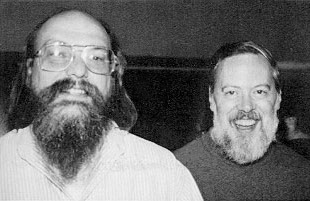 *Ken Thompson and Dennis Ritchie in 1973* -&&/font +&) -&&cont +&{column Thompson still had some desire to work on operating systems, after Bell Labs pulled out. The tools he made while rewriting [his own video game](https://en.wikipedia.org/wiki/Space_Travel_%28video_game%29) on a PDP-7 lead to a whole operating system: UNIX. Based, expanded on and improved upon many of Multic's ideas, UNIX became the father of modern OSs. -&&/cont +&} -&&/table &&/slide +&} &] -&&slide +&[slide # 2. Structure of UNIX-likes Ignoring [standards](https://unix.stackexchange.com/questions/14368/difference-between-posix-single-unix-specification-and-open-group-base-specifi/14415) and [specifications](https://unix.stackexchange.com/questions/87686/what-makes-an-operating-system-unix-like), in my opinion, from the point of a user, a UNIX-like OS has the following components: -&&lineb2 +&.br4 1. **shell**: A programmable replaceable command-line interpreter, with utilities for managing the whole system and support for pipelines and I/O redirection 2. **UNIX-style file system**: [Filesystem](https://en.wikipedia.org/wiki/Unix_filesystem) as a single rooted tree, objects (nodes) in the file system are [inodes](https://en.wikipedia.org/wiki/Inode) and an inode can be [(at least)](https://en.wikipedia.org/wiki/Unix_file_types) either a regular file, directory or devices. Permissions per users and group. 3. **kernel**: Program that manages all communication and operations between the hardware and software -&&lineb4 +&.br4 -&&font18 *For now we'll generally just look over some of the common stuff and go into detail later, while in Linux.* &&/font +&(font18 *For now we'll generally just look over some of the common stuff and go into detail later, while in Linux.* &) -&&/slide +&] -&&slide &&font35 +&[slide35 ## 2.1. shell -&&lineb2 &&ftable +&.br2 &{sqrow -&&cont +&{column The operating system is divided into layers, [like an onion](https://youtu.be/-FtCTW2rVFM?t=57). Only the kernel has access to the hardware. shells and executables (binaries) have access to the kernel. shells provide user interfaces, [both](http://en.wikipedia.org/wiki/Shell_%28computing%29) command-line and graphical. While on the topic of UNIX, we'll only discuss the former. -&&/cont +&} -&¢ered  &&/centered +&(centered  &) -&&/table &&/font &&/slide +&} &] -&&slide +&[slide ### Command-line shells Command-line shells operate solely with text, often only with ASCII characters. Usually connecting to a computer (to the shell) is said to be done with either a "terminal" ("console") or "teleprinter" ("teletype"). -&&table +&{row Video displays became widely available in the late 1970s, so before that access was done with a "teleprinter", a typewriter-printer combo. -&&font18 +&(font18  *Teletype Model 33 by [Arnold Reinhold](https://commons.wikimedia.org/wiki/User:ArnoldReinhold)* -&&/font +&) -&&tarow +&.newrow With the advent of computer displays, teleprinters were replaced with terminals, video display-keyboard combo. Thanks to the widely popular [VT100](https://en.wikipedia.org/wiki/VT100), almost all terminals support [ANSI escape codes](https://en.wikipedia.org/wiki/ANSI_escape_code). -&&font18 +&(font18  *DEC VT100 by [Jason Scott](https://www.flickr.com/people/54568729@N00)* -&&/font +&) -&&/table &&/slide +&} &] -&&slide +&[slide Today we don't usually use such specialised hardware, but the names persist with slightly different meanings. @@ -264,11 +267,11 @@ Today we don't usually use such specialised hardware, but the names persist with - ssh, a program to remotely connect to a device's shell, establishes a pseudoterminal. Your local terminal thinks it's connected to a local shell and vice versa with the remote shell, however the pty in between handles the true communication. -&&/slide +&] -&&clide +&[middle ### Command location and parameters @@ -284,11 +287,11 @@ Options usually start with a hyphen `-` (like `-c` or `-current-time`) and often Newer conventions also allow start with two hyphens `--` (`--current-time`), though if shown as-is indicate the rest is a string. More rarely you might see `--OPTION=VALUE` or just `OPTION=VALUE`. -&&/clide +&] -&&clide +&[middle ### Thompson shell @@ -308,11 +311,11 @@ The two major features that every other shell supports are: command1 [args...] | command2 [args...] | ... ``` -&&/clide +&] -&&slide +&[slide ## 2.2. UNIX-style file system @@ -322,17 +325,17 @@ The two major features that every other shell supports are:  -&&/slide +&] -&&clide +&[middle ### Attributes of an inode - [file type](https://en.wikipedia.org/wiki/Unix_file_types): Each inode represents some sort of file (data), but a "file" can also be a directory or device, so we need to know how to handle it. There are 7 main types (but there can exist more, depending on OS): - &&lineb1 + &.br1 + **regular**: just a plain old file + **directory**: as explained, a file containing hard links to other files. Each directory is allowed to appear *only once* in a single parent. + **symbolic link**: points to any file (or directory). It contains the (relative) path to that object (as a simple string), so a symlink not could even be valid. @@ -343,11 +346,11 @@ The two major features that every other shell supports are: exec(/bin/mprog); -> Executes /usr/local/bin/mprog ``` -&&/clide +&] -&&slide +&[slide + **FIFO special**: aka [named pipe](https://en.wikipedia.org/wiki/Named_pipe), a special type of regular file, where at any moment only one process can read from it and one can write to it. It takes the concept of shell pipes to inter-process communication. @@ -370,11 +373,11 @@ The two major features that every other shell supports are: CharacterSpecial << 1 ; CharacterSpecial >> var ``` -&&/slide +&] -&&clide +&[middle + **sockets**: file for inter-process communication. Compared to FIFO specials, they can be used by more than two processes, used in both directions and support [file descriptors](https://en.wikipedia.org/wiki/File_descriptor) and packets @@ -387,15 +390,15 @@ The two major features that every other shell supports are: \-read--> [Process C] ``` -&&/clide +&] -&&slide +&[slide #### Side-step into users and groups -&&lineb3 +&.br3 A user in UNIX is essentially a small collection of data, most important of it being a **unique ID** (number), a **name** (string), a **group id** (number; files created by the user are in that group) and a **password**. @@ -404,16 +407,16 @@ Groups are also small collections of data, but much simpler, comprised only of a User with ID 0 is called root, it is the "system administrator", all actions made by the system itself are done as that user. Every user has their own "home" folder (under "/home/USERNAME/", except for root, which is "/root/"), in which they store personal files, as well as user-specific configuration files. -&&/slide +&] -&&slide +&[slide - [file permissions](https://en.wikipedia.org/wiki/File_system_permissions): control the freedom of a user to read (navigate for directories), change and execute files File permissions are split into three sets: what the **owner** can do, what **group** members can do and what **anyone else** can do. Each set contains a mix of three permissions: **r**ead, **w**rite and e**x**ecute, and each set stores some combination of them. - &&lineb1 + &.br1 Each is represented by a bit in the order above (`101` means you *can* read, *cannot* write, *can* execute) and the overall permissions are often shown as a three digit number or character string. Example: `111101100` will be shown as `754` or `rwxr-xr--` @@ -421,15 +424,15 @@ Every user has their own "home" folder (under "/home/USERNAME/", except for root - User ID of owner, Group ID, file size and timestamps -&&/slide +&] -&&slide +&[slide ## 2.3. Kernel -&&font18 &&lineb1 &&/font +&(font18 &.br1 &) The kernel has the core functionality of the operating system and bridges the gap between programs and hardware. Some important subsystems include scheduling, file, device, process and memory management. @@ -437,23 +440,23 @@ Some important subsystems include scheduling, file, device, process and memory m To preserve the [everything is a file](https://en.wikipedia.org/wiki/Everything_is_a_file) methodology, devices and processes can be handled as files (inside `/dev` and `/proc`). They (most of the time, in modern kernels) aren't actual files on a hard drive, but "virtual" files, where operations on them are handled in a different manner than normal by the kernel. -&&lineb2 +&.br2 -&&font35 Linux is **not** an operating system, it is a kernel!!! &&/font +&(font35 Linux is **not** an operating system, it is a kernel!!! &) -&&lineb2 +&.br2 Two of the important things a kernel does is manage **processes** and **memory**. -&&/slide +&] -&&slide &&font35 +&[slide35 ### 2.3.1 Processes -&&lineb1 +&.br1 A program is some collection of code and other data, stored in a file (or noncompiled code). A process is the program in motion, the program itself *alongside* certain system states. @@ -465,11 +468,11 @@ The system states include (but are not limited to): - [file descriptors](https://en.wikipedia.org/wiki/File_descriptor), unique identifiers for files -&&/font &&/slide +&] -&&clide &&font35 +&[middle35 On a multitasking (multiprocessing) system, which is any modern desktop system, multiple processes are always running "at once". @@ -478,11 +481,11 @@ All "waiting" processes are put in a prioritized queue ([run queue](https://en.w Stopping is either done by the process itself (more on that later), or by the system when the process has been actively running for too much time. -&&/font &&/clide +&] -&&slide &&font35 +&[slide35 #### Process Control Block @@ -497,11 +500,11 @@ A PCB's data can be split into three categories: A process can be **forked**, meaning a new process is created, with the same underlying code (but not process states and ...). -&&/font &&/slide +&] -&&clide &&font35 +&[middle35 #### Process states @@ -511,11 +514,11 @@ A process can be **forked**, meaning a new process is created, with the same und - **Blocked**: When a process cannot continue without external change, usually when waiting for an I/O device. - **Terminated**: The process has either completed execution or has been killed. The process itself is called a ["zombie process"](https://en.wikipedia.org/wiki/Zombie_process) (until it is removed). -&&/font &&/clide +&] -&&clide &&font35 +&[middle35 #### Exit status @@ -525,15 +528,15 @@ For all intents and purposes, this number is an 8bit unsigned integer, meaning i Pretty much universally, an exit code of 0 signifies a successful termination, and anything else specifies some sort of error code. Different programs specify the meaning of an exit code in different ways, some assign each number to a specific error, other use the bits representing the number as flags. -&&/font &&/clide +&] -&&slide &&font35 +&[slide35 ### 2.3.2 Memory management -&&lineb2 +&.br2 In ye olde days, you would save a bit of memory for the operating system and give all of the rest to the current process ([monoprogramming](https://en.wiktionary.org/wiki/monoprogramming)), which we wait until completion. @@ -541,34 +544,34 @@ This doesn't allow for context switching (disks are slow) and a blocked state fo Some bad ideas include: depending on the code of all processes to not use the same addresses, use only [relative addresses](https://en.wikipedia.org/wiki/Position-independent_code) (`-fPIC` option in `gcc`) or use a [table](https://en.wikipedia.org//wiki/Relocation_%28computing%29#Relocation_table) that the kernel fills out with addresses. -&&/font &&/slide +&] -&&slide &&font35 +&[slide35 ### Virtual memory -&&lineb2 +&.br2 -&&fright +&{fright  -&&font18 *Image by [Ehamberg](https://commons.wikimedia.org/wiki/File:Virtual_memory.svg)* &&/font -&&/fright +&(font18 *Image by [Ehamberg](https://commons.wikimedia.org/wiki/File:Virtual_memory.svg)* &) +&} A program (process) works with some (sequential) addresses, and the OS (with the help of [hardware](https://en.wikipedia.org/wiki/Memory_management_unit)) translates/maps the process' addresses (logical/[virtual addresses](https://en.wikipedia.org/wiki/Virtual_address_space)) to real ones (physical addresses). Simplified memory management for the program, protected address space for each process and improved flexibility. -&&/font &&/slide +&] -&&slide &&font35 +&[slide35 #### Segmentation (without paging) -&&lineb2 +&.br2 Initially, virtual memory was implemented with segmentation, where a process' memory is divided into segments for code, stack, heap, etc. Each segment is given a chunk of contiguous memory, which can be resized, and addresses are defined as the base segment (physical) address with an offset. @@ -576,15 +579,15 @@ Each segment is given a chunk of contiguous memory, which can be resized, and ad In the modern day, segmentation isn't used by itself, since resizing segments could require reordering of memory and [external fragmentation](https://en.wikipedia.org/wiki/Fragmentation_%28computing%29#External_fragmentation), where there simply isn't enough contiguous memory, could occur. -&&/font &&/slide +&] -&&slide &&font35 +&[slide35 #### Paging -&&lineb3 +&.br3 The virtual and physical memory is divided into fixed-sized chunks of consecutive addresses. A virtual memory chunk is called a **page**, while a physical memory chunk is called a (page) **frame**. @@ -593,11 +596,11 @@ Usually both have the same size of (at least) 4 KiB. Every process has a [page table](https://en.wikipedia.org/wiki/Page_table), which maps the process' pages to system frames. Thus every memory address is translated from it's page location to a frame location. -&&/font &&/slide +&] -&&slide &&font35 +&[slide35 Advantages include: @@ -612,11 +615,11 @@ Disadvantages include: - longer memory access, because of the page table - [internal fragmentation](https://en.wikipedia.org/wiki/Fragmentation_%28computing%29#Internal_fragmentation), where one or multiple pages might be partially empty, leaving free space that cannot be used -&&/font &&/slide +&] -&&slide +&[slide # 3. Linux from the inside @@ -625,7 +628,7 @@ Enough theory, time to have some fun and learn Linux! We'll be using [Linux Minimal Live](https://ivandavidov.github.io/minimal/#home) (just a bootable ISO) because it's: - very small, comprised of only the Linux kernel, GNU C library and Busybox -- made by a fellow Bulgarian &&bg +- made by a fellow Bulgarian  We're going to explore and look around the following stuff: @@ -634,11 +637,11 @@ We're going to explore and look around the following stuff: - **Common configuration files**: Relevant configuration files, their purpose and syntax - **System management**: Other commands with which to modify your system -&&/slide +&] -&&clide &&font18 +&[middle18 #### If you're following at home @@ -654,15 +657,15 @@ That is because, out of the box, MLL doesn't really support secure connections ( The script, in summary, installs bash, coreutils and shadow "packages" (from [http://s.minos.io/archive/bifrost/x86\_64](http://s.minos.io/archive/bifrost/x86_64)) to /usr/local/bin, creates /etc/passwd, /etc/bashrc and /etc/profile with some values in them and starts bash. -&&/font &&/clide +&] -&&slide +&[slide ## 3.1. Shells -&&lineb2 +&.br2 ### Variables and data types @@ -676,11 +679,11 @@ name=value Where `name` is either a combination of letters (upper and lower case), numbers and the underscore character, which cannot begin with a number, or one of select few **positional** and **special** parameters. -&&/slide +&] -&&slide &&font35 +&[slide35 #### Positional and special parameters @@ -696,11 +699,11 @@ Some of the [special parameters](https://www.gnu.org/savannah-checkouts/gnu/bash `value`, without any special surrounding characters (more on that later), is treated as a string (but it mustn't have spaces!), however it may also be omitted, in which case it is the empty string `""`. -&&/font &&/slide +&] -&&slide &&font35 +&[slide35 #### Data types @@ -716,11 +719,11 @@ An indexed array can also be created by specifying the value at any index: name[index]=value ``` -&&/font &&/slide +&] -&&slide +&[slide #### Mixing types and operations @@ -734,11 +737,11 @@ name=value |integer| |empty string, but sometimes value |value |value when index is 0, empty string otherwise| |array | |operation is done on element at index 0|operation is done on element at index 0|value | -&&/slide +&] -&&slide +&[slide #### Parameter expansion @@ -755,11 +758,11 @@ Some parameter expansions in bash: - `${parameter/pattern/string}` return a string, where every match on pattern is replaced by string - `${name[@]}` a (space separated) sequence of indices from 0 to length (for defined values) of array name -&&/slide +&] -&&slide +&[slide #### Arithmetic expansion @@ -779,11 +782,11 @@ Some useful expressions are: Expressions work with both variable names and integers. -&&/slide +&] -&&clide +&[middle ### Bourne shell @@ -801,11 +804,11 @@ Most modern shells support a lot of the more defying features of the [Bourne She + `fg`: resume the last job to be put in the background and make it the current job with which we're interacting + `jobs`: list all active (background) jobs -&&/clide +&] -&&clide +&[middle -   + Every job is identified with a **Job ID** (number), which you can use by prepending a percentage sign. Example, to resume the job with JID 4: @@ -819,11 +822,11 @@ Most modern shells support a lot of the more defying features of the [Bourne She + `kill`: send a signal to the process or job. Then that process will have to handle it accordingly. Common ones are `-KILL` to immediately stop the process, `-QUIT` to quit it, `-ABRT` to cancel the current action, `-TERM` shut down (orderly), `-STOP` shut down (forcefully) -&&/clide +&] -&&clide &&font27 +&[middle27 - [heredoc](https://en.wikipedia.org/wiki/Here_document): File literal, meaning it is a user "string" which is interpreted as a file + start with `<< NAME`, where NAME can be anything you want, it is used to mark the beginning and end of a heredoc. `<<` is also a redirection symbol @@ -843,10 +846,10 @@ Most modern shells support a lot of the more defying features of the [Bourne She + `expr1 || expr2`: Run expr2 if expr1 exited unsuccessfully + `expr1 ; expr2`: Run expr2 after expr1 (sequential execution) -&&/font &&/clide +&] -&&clide &&font27 +&[middle27 - [redirection](https://en.wikipedia.org/wiki/Redirection_%28computing%29): Outside of having `<` and `>` for I/O redirection, often there is also + `>>`: Acts like `>`, putting text into a file, but rather than overwriting everything, it appends it @@ -865,11 +868,11 @@ Most modern shells support a lot of the more defying features of the [Bourne She * `N<inputfile`: redirects input file contents to standard stream N * `N<&M`: redirects standard stream M to standard stream N -&&/font &&/clide +&] -&&clide &&font27 +&[middle27 - [built-in test command](https://en.wikipedia.org/wiki/Test_%28Unix%29): With `test` you can do conditional expressions. You can also often use brackets `[ args... ]` instead of `test args...` + Some of the available file checks @@ -888,11 +891,11 @@ Most modern shells support a lot of the more defying features of the [Bourne She + Operators: `!` - negation, `-a` - binary AND, `-o` - binary OR, parentheses for grouping (escaped with `\`) -&&/font &&/clide +&] -&&slide +&[slide - [scripting support](https://en.wikipedia.org/wiki/Shell_script): Running commands from top to bottom of a file + `#`: Everything between a # and the end of the line denotes a comment @@ -912,14 +915,14 @@ Most modern shells support a lot of the more defying features of the [Bourne She elif statements can appear multiple times, both elif and else are optional -&&/slide +&] -&&slide +&[slide -   - &&lineb1 + &.br1 ``` case word in (pattern | ...) commands-if-true ;; ... esac @@ -939,29 +942,29 @@ Most modern shells support a lot of the more defying features of the [Bourne She ``` If `in words...` is ommited, positional arguments are used -&&/slide +&] -&&clide &&font35 +&[middle35 ## 3.2. Files and directories - `/dev`: devices - `/proc`: process information -&&lineb3 +&.br3 - `/bin`: main command programs (binaries), used by users - `/sbin`: command programs, used for the system operation - `/usr`: other system resources + `/usr/bin`: all other user command binaries -&&/font &&/clide +&] -&&slide +&[slide #### Everyday file system commands @@ -983,11 +986,11 @@ Most modern shells support a lot of the more defying features of the [Bourne She - `chmod`: change file modes - `find`: search for a file inside a directory (recursively) -&&/slide +&] -&&slide +&[slide #### Everyday text (file) commands @@ -1008,11 +1011,11 @@ Most modern shells support a lot of the more defying features of the [Bourne She - `wc`: count words inside file - `diff`: compare files and show their differences -&&/slide +&] -&&clide +&[middle #### Device commands @@ -1027,11 +1030,11 @@ Most modern shells support a lot of the more defying features of the [Bourne She - `hostname`: show (or set) the systems hostname (network name) - `free`: display free memory on the system -&&/clide +&] -&&slide +&[slide #### User and group management @@ -1040,27 +1043,27 @@ Most modern shells support a lot of the more defying features of the [Bourne She - `usermod`: modify a user account, including his name and groups - `passwd`: change password of a user. With `-l` user could be locked (impossible to log in) -&&lineb1 +&.br3 - `groupadd`: create a new group - `groupdel`: remove a group - `groupmod`: modify an existing group -&&lineb1 +&.br3 - `w`: show who is logged in and what they are doing - `who`: show who is logged in - `whomai`: print username - `login`: establish a new connection to the system -&&/slide +&] -&&slide +&[slide - `/etc`: system configuration files - &&lineb2 + &.br2 + `/etc/group`: the data for all groups is stored here, in the format @@ -1080,11 +1083,11 @@ Most modern shells support a lot of the more defying features of the [Bourne She USERNAME:PASSWORD:LASTCHANGED:MINBETWEENCHANGES:MAXBETWEENCHANGES:WARNEXPIRE:INACTIVEDAYS:EXPIRE ``` -&&/slide +&] -&&slide &&font27 +&[slide27 -   @@ -1108,11 +1111,11 @@ Most modern shells support a lot of the more defying features of the [Bourne She + `/etc/bashrc`: global defaults and aliases used by the bash shell + `/etc/motd`: message of the day (unexecuted text), shown after login but before the shell is ran -&&/font &&/slide +&] -&&clide &&font35 +&[middle35 - `/usr`: other system resources + `/usr/lib`: library files @@ -1124,11 +1127,11 @@ Most modern shells support a lot of the more defying features of the [Bourne She - `/mnt`: mounted temporary filesystems - `/root`: home directory for the root user -&&/font &&/clide +&] -&&slide +&[slide # 4. Software licensing @@ -1144,29 +1147,29 @@ Some commonly used ones, with a (NON-LEGALLY BINDING) summary include: This is important, since pretty much everything can be freely modified by anyone (for the better or worse, but generally better). -&&/slide +&] -&&slide &&font35 +&[slide35 # 5. What makes up a useful OS A Linux-based operating system is nothing more than the Linux kernel, combined with an assortment of programs. Overall, the main elements that make up a useful *desktop* operating system (alongside a command-line shell) are: -&&lineb1 +&.br1 1. **Bootloader**: load the kernel and operating system 2. **Init system**: well managed way to start everything inside the OS 3. **Package manager**: way to manage our binaries 4. **Desktop manager**: graphical shell -&&/font &&/slide +&] -&&slide +&[slide ## 5.1. Bootloader @@ -1184,11 +1187,11 @@ BIOS -> Master Boot Record -> Active Parition -> Bootloader -> - Active partition: MBR loads and runs code from the beginning of the partition (boot sector), which starts the bootloader - [Bootloader](https://en.wikipedia.org/wiki/Bootloader): the first complex program, which manages kernels, shows a menu, allows for debugging and so on -&&/slide +&] -&&clide +&[middle The BIOS is baked into the motherboard, the MBR is pretty universal (and it's less than 512 bytes) and the kernel we know and love. @@ -1206,11 +1209,11 @@ GRUB_CMDLINE_LINUX_DEFAULT="" GRUB_GFXMODE=640x480 ``` -&&/clide +&] -&&slide &&font27 +&[slide27 ## 5.2. Init system @@ -1233,15 +1236,15 @@ ExecStart=/usr/local/sbin/script.sh WantedBy=multi-user.target ``` -&&/font &&/slide +&] -&&slide +&[slide ## 5.3. Package manager -&&lineb1 +&.br1 Programs are just executable files, usually placed in a specific folder, like `/usr/bin`. @@ -1254,11 +1257,11 @@ Updating all of them means replacing all of the binaries, means tracking where e On modern systems, managing binaries is automated by an application called a package manager. -&&/slide +&] -&&clide &&font35 +&[middle35 Additional benefits of package management automation include: @@ -1268,7 +1271,7 @@ Additional benefits of package management automation include: - version caveats - (indirectly) improved stability because of maintainer compatibility checks -&&lineb1 +&.br1 ``` apt install PKG @@ -1276,18 +1279,18 @@ apt remove PKG apt upgrade ``` -&&/font &&/clide +&] -&&slide +&[slide ## 5.4. Window systems A widow system is your graphical shell: the graphical way to interact with your computer (the kernel). It's main components are: -&&lineb1 +&.br1 - **Window manager**: the overall system with which you create, remove, resize and work with windows. They are generally separated into two types: + *Stacked*: this is what you know, windows are just rectangles floating about, and can be put one over each other @@ -1295,11 +1298,11 @@ It's main components are: - **Compositor**: adds an unseen window buffer, allowing additional processing, before a window is shown. This powers transparency, animation effects and more. - **Session manager**: graphical application that manages the window managers (outside WMs), think of it as a login window -&&/slide +&] -&&slide &&font27 +&[slide27 # 6. War on distros @@ -1317,15 +1320,15 @@ We haven't touched too much, but Linux distributions aren't limited to desktop o 1. [AOSP](https://en.wikipedia.org/wiki/Android_%28operating_system%29#AOSP): the base of the whole Android operating system 2. [OpenWRT](https://en.wikipedia.org/wiki/OpenWrt): a router operating system -&&/font &&/slide +&] -&&slide &&font35 +&[slide35 # 7. Demos - virtual machine and setup from zero -&&lineb2 +&.br2 Now for the best part: we'll be installing a Linux distribution on a virtual machine and then directly on a laptop, running Windows 10! @@ -1333,19 +1336,19 @@ I've chosen to install [Linux Mint](https://linuxmint.com/), since it is general Currently there won't be an official recording of the process, you should've been here live! -&&/font &&/slide +&] -&&clide &&font35 &¢ered +&[title35 # Thank you for your time -&&/centered &&/font &&/clide +&] -&&slide &&font18 +&[slide18 # Sources @@ -1376,4 +1379,4 @@ They served as personal educational and reference tools. Images on slides "2.1. shell" and "2.2. UNIX-style file system" are made by me and [licensed as content](/license.html). The script [mll-set.sh](http://syndamia.com/talks/linuxgraphy-by-strabo/mll-set.sh) is licensed under MIT (though I don't see it as substatial enough to be licensed under anything). -&&/font &&/slide +&] diff --git a/src/teaching.md b/src/teaching.md index e1e9092..c36de4d 100644 --- a/src/teaching.md +++ b/src/teaching.md @@ -4,8 +4,8 @@ This is a list of all the subjects I've taught professionally. <br> -&&bg 2023-2024   [З520 Обектно-ориентрано програмиране - практикум, КН, 8 група](/teaching/oop-2023) +&.bg 2023-2024   [З520 Обектно-ориентрано програмиране - практикум, КН, 8 група](/teaching/oop-2023) : Хоноруван преподавател във [ФМИ](https://www.fmi.uni-sofia.bg/) на специалност [Компютърни науки](https://www.fmi.uni-sofia.bg/bg/kompyutrni-nauki) -&&bg 2023-2024   [3107 Увод в програмирането - практикум, КН, 8 група](/teaching/upp-2023) +&.bg 2023-2024   [3107 Увод в програмирането - практикум, КН, 8 група](/teaching/upp-2023) : Хоноруван преподавател във [ФМИ](https://www.fmi.uni-sofia.bg/) на специалност [Компютърни науки](https://www.fmi.uni-sofia.bg/bg/kompyutrni-nauki) diff --git a/src/teaching/index.md b/src/teaching/index.md index e1e9092..c36de4d 100644 --- a/src/teaching/index.md +++ b/src/teaching/index.md @@ -4,8 +4,8 @@ This is a list of all the subjects I've taught professionally. <br> -&&bg 2023-2024   [З520 Обектно-ориентрано програмиране - практикум, КН, 8 група](/teaching/oop-2023) +&.bg 2023-2024   [З520 Обектно-ориентрано програмиране - практикум, КН, 8 група](/teaching/oop-2023) : Хоноруван преподавател във [ФМИ](https://www.fmi.uni-sofia.bg/) на специалност [Компютърни науки](https://www.fmi.uni-sofia.bg/bg/kompyutrni-nauki) -&&bg 2023-2024   [3107 Увод в програмирането - практикум, КН, 8 група](/teaching/upp-2023) +&.bg 2023-2024   [3107 Увод в програмирането - практикум, КН, 8 група](/teaching/upp-2023) : Хоноруван преподавател във [ФМИ](https://www.fmi.uni-sofia.bg/) на специалност [Компютърни науки](https://www.fmi.uni-sofia.bg/bg/kompyutrni-nauki) diff --git a/src/teaching/oop-2023/week1/good-software.md b/src/teaching/oop-2023/week1/good-software.md index 9e2e833..79a51b0 100644 --- a/src/teaching/oop-2023/week1/good-software.md +++ b/src/teaching/oop-2023/week1/good-software.md @@ -4,21 +4,21 @@ Главния проблем, който забелязах, беше колко грозно и нагласено бяха написани решенията. Като въведение в ООП, ще поговорим по тази тема. -&&presentation +&.presentation -&&clide &¢ered &&font35 +&[title # Основни идеи<br>при добро писане на код -&&/font &&/centered &&/clide +&] -&&slide &&font35 +&[slide35 ## Какво прави програмиста с чужд код? -&&lineb4 +&.br4 1. Чете 2. Разучава как се ползва/какво прави @@ -26,15 +26,15 @@ Добър код прави тези задачи лесни! -&&/font &&/slide +&] -&&slide &&font35 +&[slide35 ## Подобряване на четене -&&lineb3 +&.br4 - Лично вярвам, че четимост е по-важна от конвенции - Човек вижда най-лесно "контрастни" шаблони @@ -47,7 +47,7 @@ .... 0....0 011110 511119 ``` -&&/font &&/slide +&] @@ -60,11 +60,11 @@ -&&clide +&[middle Труден за четене код *(забелязвате ли грешките?)*: -&&font22 +&(font22 ``` int a, b; @@ -86,7 +86,7 @@ if (board[a][b][i] == ' ') { } ``` -&&/font &&/clide +&) &] @@ -97,11 +97,11 @@ if (board[a][b][i] == ' ') { -&&clide +&[middle По-лесен за четене код *(а сега виждат ли се по-лесно?)*: -&&font18 +&(font18 ``` std::cout << "Enter coordinates" << std::endl; @@ -134,7 +134,7 @@ for (int i = 0; i < layers; i++) } ``` -&&/font &&/clide +&) &] @@ -144,23 +144,23 @@ for (int i = 0; i < layers; i++) -&&slide +&[slide ## Абстракцията - улеснява изучаване И употреба/модификация -&&lineb1 +&.br1 - Разделяме обработване на стойностите от директната имплементацията - Създаваме нови "машинни инструкции" -&&lineb1 +&.br1 - `doX()` е по-лошо от `do(X)` - можем да преизползваме `do()` за неща, различни от `X` - един път разбрано, всяка употреба на `do()` също е разбрана; този стил кара `do()` да бъде по-обща функция, което я прави по-лесна за разбиране - модификация на `do(X)` се свежда до заменяне на `do()` с `doOther()` или до заменяне на `X` с `Y`; променяме "инструкцията" или променяме данната -&&/slide +&] @@ -168,7 +168,7 @@ for (int i = 0; i < layers; i++) -&&clide +&[middle ```cpp @@ -187,7 +187,7 @@ int fib5() │ int fib(int n) } │ } ``` -&&/clide +&] @@ -200,7 +200,7 @@ int fib5() │ int fib(int n) -&&slide +&[slide Лошо - `doX()` в тялото на функцията @@ -226,7 +226,7 @@ void tryTakeTile(char** board, int rows, int cols, } ``` -&&/slide +&] @@ -240,7 +240,7 @@ void tryTakeTile(char** board, int rows, int cols, Нека сега да пренапишем функцията, използвайки колкото се може повече абстракция. -&&clide +&[middle Добро - `do(X)` @@ -264,7 +264,7 @@ void tryTakeTile(char** board, int rows, int cols, } ``` -&&/clide +&] @@ -279,7 +279,7 @@ void tryTakeTile(char** board, int rows, int cols, -&&slide +&[slide Лошо - всички цикли са `doX()` @@ -304,7 +304,7 @@ void generateLayer(char** layer, int rows, int cols, } ``` -&&/slide +&] @@ -321,7 +321,7 @@ void generateLayer(char** layer, int rows, int cols, -&&clide +&[middle Добро - `do(X)` @@ -342,7 +342,7 @@ void generateLayer(char** layer, int rows, int cols, **Бонус:** работи по-коректно от преди -&&/clide +&] @@ -358,7 +358,7 @@ void generateLayer(char** layer, int rows, int cols, -&&clide +&[middle Решения със слоеве правят същото. Лошо - `doX()` при циклите: @@ -374,7 +374,7 @@ void generate(char*** board, int rows, int cols, int layers, } ``` -&&/clide +&] @@ -384,7 +384,7 @@ void generate(char*** board, int rows, int cols, int layers, -&&slide +&[slide Добро - `do(X)` @@ -409,7 +409,7 @@ void generate(char*** board, int rows, int cols, int layers, } ``` -&&/slide +&] @@ -427,14 +427,14 @@ void generate(char*** board, int rows, int cols, int layers, -&&clide &&font35 +&[middle35 ### Абстракцията - подобрява и коментари - Целта на коментарите е да направи разбиране и модификация на код по-лесни. - В повечето случаи, коментарът трябва да ни дава *нова* информация или да *свърже* парчета информация -&&/font &&/clide +&] @@ -442,7 +442,7 @@ void generate(char*** board, int rows, int cols, int layers, -&&clide +&[middle Лошо: @@ -468,7 +468,7 @@ for (int i = 0; i < rows; i++) { ``` -&&/clide +&] @@ -482,17 +482,17 @@ for (int i = 0; i < rows; i++) { -&&clide +&[middle > For practical reasons, the demonstration programs must be small, many times smaller than the "life-size programs" I have in mind. My basic problem is that precisely this difference in scale is one of the major sources of our difficulties in programming! — Edsger W. Dijkstra, [Notes on Structured Programming, On our inability to do much](https://www.cs.utexas.edu/users/EWD/ewd02xx/EWD249.PDF) -&&lineb1 +&.br1 Решение на цялото домашно, с описаните методи TODO -&&/clide +&] @@ -504,11 +504,11 @@ for (int i = 0; i < rows; i++) { -&&slide &&font35 +&[slide35 ## Изводи -&&lineb4 +&.br4 - Форматирайте/подравнявайте си кода, искате лесно четене - Вдигайте абстракция @@ -516,4 +516,4 @@ for (int i = 0; i < rows; i++) { - Преизползване на възможно най-много код - Коментари които дават или разширяват знание -&&/font &&/slide +&] diff --git a/src/teaching/oop-2023/week1/index.md b/src/teaching/oop-2023/week1/index.md index 008e8dd..c38f0c0 100644 --- a/src/teaching/oop-2023/week1/index.md +++ b/src/teaching/oop-2023/week1/index.md @@ -9,7 +9,7 @@ GitHub classroom: [classroom.github.com/a/UPJOzHty](https://classroom.github.com Имплементирайте функция `concatString`, която приема две структури от този тип и връща низ, пак в същата структура, който е конкатенация (слепване) на първите два низа. -&&question Има ли значение дали типовете на аргументите, или на върнатата стойност, са референции или указатели (или нито едното)? +&:question Има ли значение дали типовете на аргументите, или на върнатата стойност, са референции или указатели (или нито едното)? В самия код тествайте функциите (не е нужен потребителски вход). diff --git a/src/teaching/oop-2023/week1/organization.md b/src/teaching/oop-2023/week1/organization.md index 866b93a..92fdcc8 100644 --- a/src/teaching/oop-2023/week1/organization.md +++ b/src/teaching/oop-2023/week1/organization.md @@ -1,12 +1,12 @@ # Организация - ООП, Седмица 1, 22.02.2024 -&&presentation +&.presentation -&&clide &¢ered &&font35 +&[title35 # Добре дошли в ООП -&&/font &&/centered &&/clide +&] @@ -14,13 +14,13 @@ -&&clide &&font35 +&[middle35 - ООП практикум е избираема, която няма смисъл да не запишете - Само плюсове за вас - Оценката е според контролни/изпити по ООП -&&/font &&/clide +&] @@ -29,14 +29,14 @@ -&&clide &&font35 +&[middle35 - Освобождаване от изпит според работата ви по време на практикум - Няма намаляване на оценка - Оценявам общите ви умения<br> Важното е да умеете да сте програмисти: коректност, брой и трудност на решени задачи се зачитат по-малко отколкото успех да напишете прилично-изглеждаща програма (дори с малко мой тласък) -&&/font &&/clide +&] @@ -44,16 +44,16 @@ -&&clide &&font35 +&[middle35 - Зачитат се **единствено нещата, качени в GitHub classroom, качени в срок** - До **15** минути след края на часа - Както преди, не е нужно да присъствате, за да качвате решения - Ако случайно някой не знае как се ползва: -&¢ered [syndamia.com/upp-2023/week1/setup.html?a](../upp-2023/week1/setup.html?a) &&/centered +&(centered [syndamia.com/upp-2023/week1/setup.html?a](../upp-2023/week1/setup.html?a) &) -&&/font &&/clide +&] diff --git a/src/teaching/upp-2023/additional1/index.md b/src/teaching/upp-2023/additional1/index.md index cf1dfce..f366858 100644 --- a/src/teaching/upp-2023/additional1/index.md +++ b/src/teaching/upp-2023/additional1/index.md @@ -2,13 +2,13 @@ GitHub classroom: [classroom.github.com/a/nlFuKALw](https://classroom.github.com/a/nlFuKALw) -При изображението &&question трябва да спрете, да помислите и да си отговорите на дадения въпрос. +При изображението  трябва да спрете, да помислите и да си отговорите на дадения въпрос. Почти винаги ако не може да отговорите, ще имате проблеми в бъдеще с решаването. Понякога ще ви спираме и ще ви питаме за тези въпроси. ## Задача - База гаднни -&&warn **Нямате** право да използвате каквито и да е функции, които вие не сте написали, както и неизучаван материал като двуизмерни масиви или динамична памет. +&:warn **Нямате** право да използвате каквито и да е функции, които вие не сте написали, както и неизучаван материал като двуизмерни масиви или динамична памет. **Не** употребявайте търсачки, ако ви трябва информация за нещо, ще може да си я изкарате с една проста тестова програма или калкулатор. <br> @@ -18,7 +18,7 @@ GitHub classroom: [classroom.github.com/a/nlFuKALw](https://classroom.github.com Таблица А има максимум 8 реда, като всеки ред е едно цяло число с 9 цифри. Таблица Б има максимум 8 реда, като всеки ред е число между 1 и 4294967295. -&&question В какъв тип ще запазим всяка таблица? +&:question В какъв тип ще запазим всяка таблица? В задачата винаги номерираме редовете (числата) на всяка таблица, започвайки от индекс 1. Чрез различни комбинации на ред в таблица А и ред в таблица Б получаваме различни стойности. @@ -39,11 +39,11 @@ GitHub classroom: [classroom.github.com/a/nlFuKALw](https://classroom.github.com Стойностите от таблица А са винаги ограничени отгоре с най-големия брой битове, които комфортно може да поберем в 7 цифри. Тоест 9999999 не е валидна стойност от таблица А, докато 8388608 e. -&&question Колко най-много *битове* можем със сигурност да поберем в 7 цифри? +&:question Колко най-много *битове* можем със сигурност да поберем в 7 цифри? Понеже редовете са от 1 до 9, ако в таблица А имаме ред 0 правим нещо специално, но това ще видите в бъдеще. -&&question Разбрахте ли как таблиците "изглеждат"? +&:question Разбрахте ли как таблиците "изглеждат"? ### a) разделяне на реда от таблица А @@ -52,7 +52,7 @@ GitHub classroom: [classroom.github.com/a/nlFuKALw](https://classroom.github.com `getRow` - приема ред от таблица А и указатели към променливи за ред, тип и стойност; не връща нищо В подадените указатели пази съответните стойности от реда -&&question Защо приемаме указатели към променливи? Каква е "сигнатурата" на функцията? +&:question Защо приемаме указатели към променливи? Каква е "сигнатурата" на функцията? <br> **Примери:** @@ -68,7 +68,7 @@ GitHub classroom: [classroom.github.com/a/nlFuKALw](https://classroom.github.com Ако типа е цифрата "0", тогава стойността в базата данни е някакво число с плаваща запетая. Самото число е разделено на две части: цифрите преди запетаята се намират в стойността от таблица А, докато цифрите след запетаята са в реда от таблица Б. -&&question В какъв тип данни трябва да запазим числото? Как ще "слепим" двете му части. +&:question В какъв тип данни трябва да запазим числото? Как ще "слепим" двете му части. Имплементирайте функция: @@ -107,14 +107,14 @@ GitHub classroom: [classroom.github.com/a/nlFuKALw](https://classroom.github.com Тоест ако в нашия тип данни запазваме само 10 бита, тогава числото "2" ще бъде `0000000010` и имаме низа "AC". Игнорирайте старшите битове, които остават като "остатък" (по-малко от 5 бита ширина). -&&question Колко бита наистина запазваме в нашия тип данни? Колко бита ще трябва да игнорираме? Колко най-много букви може да поберем? +&:question Колко бита наистина запазваме в нашия тип данни? Колко бита ще трябва да игнорираме? Колко най-много букви може да поберем? Имплементирайте функция: `decodeNumberText` - приема ред от таблица Б и указател към "низ"; не връща нищо Записва декодиран текстът от реда в указателя -&&question Нарочно има кавички около думата "низ", какъв трябва наистина да е типа на указателя? +&:question Нарочно има кавички около думата "низ", какъв трябва наистина да е типа на указателя? <br> **Примери:** @@ -135,7 +135,7 @@ GitHub classroom: [classroom.github.com/a/nlFuKALw](https://classroom.github.com Как декодираме? Отместваме буквите назад, тоест ако имаме текста "KHOOR" и ви кажа, че съм го кодирал като съм отместил всяка буква напред с 3 позиции, тогава при декодиране от K става на H, от H става на E, от О става на L и от R става на O. -&&question Какво става със знака "!"? Има ли лесен (математически) начин да дешифрираме всяка буква? +&:question Какво става със знака "!"? Има ли лесен (математически) начин да дешифрираме всяка буква? Текстът, преди да е въведен в нашата база данни, ще бъде кодиран с шифъра на Цезар, като броя позиции с които сме отместили буквите се намира в стойността в таблица А. @@ -162,7 +162,7 @@ GitHub classroom: [classroom.github.com/a/nlFuKALw](https://classroom.github.com Ако типа е "2", тогава в реда от Б сме вложили масив от стойности (числа). Всеки 4 бита определят една стойност, като първия елемент е старшите (най-левите) битове, докато последния е младшите (най-десните) битове. -&&question Коколо на брой елемента пазим в реда от Б? +&:question Коколо на брой елемента пазим в реда от Б? Имплементирайте функцията: @@ -207,7 +207,7 @@ GitHub classroom: [classroom.github.com/a/nlFuKALw](https://classroom.github.com Ако редът в таблица А е 0, тогава цялата стойност в базата данни е побрана в стойността на таблица А. Очевидно само в стойност на таблица А имаме по-малко битове, отколкото в стойност на таблица А плюс ред в таблица Б, затова се налага по някакъв начин да "компресираме" информацията, така че да се побере. -&&question Колко бита побираме в стойност на таблица А? Колко бита ни трябват общо, за да обработим една стойност в базата данни? +&:question Колко бита побираме в стойност на таблица А? Колко бита ни трябват общо, за да обработим една стойност в базата данни? Ще го направим така: в стойността от таблица А ще пазим индекси, и всеки индекс ще съответства на някакво по-голямо число, което се съдържа в друг масив, който ще наричаме криптографски ред. @@ -225,7 +225,7 @@ GitHub classroom: [classroom.github.com/a/nlFuKALw](https://classroom.github.com Първите (най-левите) три бита от стойността в таблица А не са индекси, а трябва да се копират дословно. След тях има 4 индекса, всеки с по 5 бита. -&&question Как е разделена побитово една стойност от таблица А? Кои индекси за кои стойности ще се ползват? Достатъчно ли е всеки индекс към криптографския ред да бъде само 5 бита (тоест може ли да има повече от 2⁵ числа в реда)? Защо имаме само 4 индекса? +&:question Как е разделена побитово една стойност от таблица А? Кои индекси за кои стойности ще се ползват? Достатъчно ли е всеки индекс към криптографския ред да бъде само 5 бита (тоест може ли да има повече от 2⁵ числа в реда)? Защо имаме само 4 индекса? Напишете функция: @@ -266,4 +266,4 @@ GitHub classroom: [classroom.github.com/a/nlFuKALw](https://classroom.github.com Пробвате се да я запазите, използвайки и двете таблици, но ако Б вече е запълнена, добавяте я като компресирана стойност в таблица А. Ако и А е запълнена, изкарвате съобщение за запълнена база данни и не запазвате стойността. -&&question Какво трябва да направите, ако получите компресирана стойност за таблица А? +&:question Какво трябва да направите, ако получите компресирана стойност за таблица А? diff --git a/src/teaching/upp-2023/additional2/index.md b/src/teaching/upp-2023/additional2/index.md index 75530f8..d4e07b4 100644 --- a/src/teaching/upp-2023/additional2/index.md +++ b/src/teaching/upp-2023/additional2/index.md @@ -2,7 +2,7 @@ GitHub classroom: [classroom.github.com/a/CrerXpf6](https://classroom.github.com/a/CrerXpf6) -&&important Следете внимателно дали триете всичката си динамична памет коректно на всяка подточка! +&:important Следете внимателно дали триете всичката си динамична памет коректно на всяка подточка! Случвало се е на контролни да се пишат двойки ако всичко друго е коректно, но има неизтрита памет! ## Задача - текстов редактор @@ -18,7 +18,7 @@ GitHub classroom: [classroom.github.com/a/CrerXpf6](https://classroom.github.com Като за начало, нека да имплементираме запазването на текст. От конзолата ще получавате редове текст, всеки ред ще е с максимална дължина от 1024 знака, след това трябва да го запазите. -&&important Може да използвате масив със статична дължина за буфер, обаче трябва да използвате възможно най-малко памет за "перманентното" запазване на реда текст във вашата програма. +&:important Може да използвате масив със статична дължина за буфер, обаче трябва да използвате възможно най-малко памет за "перманентното" запазване на реда текст във вашата програма. Използвайте многомерен масив за запазване на редовете, вместо всичко да се запазва в един голям низ. Това е нужно за бъдещи подточки. @@ -58,10 +58,10 @@ est. It was a high bank, and he paused to breathe at the top. Ако низът е команда, тогава връща масив от низове, първия от които съдържа буквата, определяща командата, докато останалите низове са параметрите. Ако низът не е команда, тогава връща празен масив. -&&warn Какво означава празен масив зависи от имплементацията ви. +&:warn Какво означава празен масив зависи от имплементацията ви. За предпочитане е да не заделяте памет, когато не е нужно. -&&question Как ще върнем масив? Нужно ли е да връщаме бройката елементи? +&:question Как ще върнем масив? Нужно ли е да връщаме бройката елементи? *Само за тестване*, след всеки въведен ред, ако е команда, изкарайте извлечените стойности от `extractCommand`, със запетайки след всяка. Като при [подточка a)](#section), ако редът започва с `Q`, спирате приемане на вход и изкарвате запазения текст. @@ -195,9 +195,9 @@ the man turned aside from the main Yukon trail. He climbed the high Имплементирайте функцията `deleteRow`, която получава целия текст, въведен до сега, и номер на реда (редовете се индексират от 1 до N). Тя променя текста, като премахва реда на дадения номер. -&&important Не забравяйте да промените размера на масива с низове! Не е решение просто да промените указателя към дадения ред на `nullptr`, не искаме да използваме излишна памет. +&:important Не забравяйте да промените размера на масива с низове! Не е решение просто да промените указателя към дадения ред на `nullptr`, не искаме да използваме излишна памет. -&&question Какъв ще бъде типа на аргумента, който приема целия текст? +&:question Какъв ще бъде типа на аргумента, който приема целия текст? Добавете командата `D`, която приема един параметър - цяло положително число, и го прилага върху функцията `deleteRow`. Ако номера на реда е невалиден, трябва да изкарате съобщение "; Invalid row number". @@ -297,7 +297,7 @@ He excused Ред N+1 се изтрива. Ако N е 0 или номера на последния ред, не прави нищо. -&&important Не забравяйте да промените размера на масива с низове! Не е решение просто да промените указателя към дадения ред на `nullptr`, не искаме да използваме излишна памет. +&:important Не забравяйте да промените размера на масива с низове! Не е решение просто да промените указателя към дадения ред на `nullptr`, не искаме да използваме излишна памет. Добавете команда `J`, която приема номер на ред - положително число. Следващия ред ще се вмъкне в края на сегашния, с една шпация между тях, използвайки функцията `joinRows`. @@ -372,7 +372,7 @@ est. It was a high bank, and he paused to breathe at the top. Имплементирайте функция `substituteWord`, която приема целия текст и две думи (низове без шпации). В текстът, всяко срещане на първата дума е заменено с втората дума. -&&question Какво ще стане с размера на един ред, ако някоя дума/някои думи трябва да се заменят? +&:question Какво ще стане с размера на един ред, ако някоя дума/някои думи трябва да се заменят? Добавете команда `s`, която приема две думи - низове без шпации. Използвайки функцията `substituteWord` замества всяко срещане на първата дума с втората. diff --git a/src/teaching/upp-2023/index.md b/src/teaching/upp-2023/index.md index 19199ec..624a312 100644 --- a/src/teaching/upp-2023/index.md +++ b/src/teaching/upp-2023/index.md @@ -2,7 +2,7 @@ Материали на проведените през 2023/2024 практикуми по Увод в програмирането на Компютърни науки (2 поток), 8 група. -&&warn От сега нататък ще може да продължите да предавате решения след крайния срок в classroom. +&:warn От сега нататък ще може да продължите да предавате решения след крайния срок в classroom. Не мога да гарантирам кога ще погледна предадени решения след срока, но ще ги погледна! **Зала:** ФМИ 309 || diff --git a/src/teaching/upp-2023/week1/setup.md b/src/teaching/upp-2023/week1/setup.md index 73507a7..9327b2b 100644 --- a/src/teaching/upp-2023/week1/setup.md +++ b/src/teaching/upp-2023/week1/setup.md @@ -1,15 +1,16 @@ # Конфигуриране на GitHub classroom и Visual Studio - УПП, Седмица 1, 06.10.2023 -&&presentation -&&clide &¢ered +&.presentation + +&[title # Конфигуриране на GitHub classroom и Visual Studiо -&&/centered &&/clide +&] -&&slide +&[slide ## Теория относно GitHub classroom @@ -26,15 +27,15 @@ - Обединението на труда на всички, особено в огромни екипи, става супер трудно -&&/slide +&] -&&slide +&[slide ### Git -&&lineb1 +&.br1 git е програма (система) за [контрол на версиите](https://en.wikipedia.org/wiki/Distributed_version_control). В един проект, git пази **списък от всички commit-и**. @@ -47,15 +48,15 @@ git е програма (система) за [контрол на версииÑ Така, когато смесваме кода от многото разработчици, ще можем да засечем **какви точно са различията** между работата на двама човека. Често промените не си "противоречат" и могат да бъдат смесени директно, понякога се налага ръчно да решим какво точно да се случи с тези парчета код. -&&/slide +&] -&&slide +&[slide ### GitHub -&&lineb5 +&.br5 Всички repository-та трябва да се пазят някъде и да може лесно да се споделят и гледат. Има много сайтове за тази цел, най-популярния се нарича [GitHub](https://github.com). @@ -63,11 +64,11 @@ git е програма (система) за [контрол на версииÑ Напомням, че git и GitHub са напълно отделни неща, направени от различни хора с различни функционалности. Свързаността с имената е както свързаността между думите "чар" и "чаршаф". -&&/slide +&] -&&slide +&[slide ## Сега всички трябва да си направят GitHub акаунти @@ -75,24 +76,24 @@ git е програма (система) за [контрол на версииÑ  -&&/slide +&] -&&clide +&[middle След това, като влезете в акаунтите си (което става автоматично след регистрация), на заглавната страница ще имате нещо такова: -&&width75  &&/width +&(width75%  &) В горния десен ъгъл, където е иконката с квадрати на бял фон, след натискане получавате sidebar. От него, може да достъпите профила си, repository-та които имате, и так. нат. -&&/clide +&] -&&slide +&[slide ### Проверете дали сте маркирани! @@ -105,15 +106,15 @@ git е програма (система) за [контрол на версииÑ  -&&/slide +&] -&&slide +&[slide ## GitHub classroom -&&lineb3 +&.br3 За всеки практикум ще ви направя линк, чрез който след малко кликане ще се създаде ново лично repository за всеки от вас. @@ -124,38 +125,37 @@ GitHub предоставя лесни начини да правите пром Те ще се намират в таба "Pull Requests" на конкретното repository. Четете ги, отговаряйте, целта е да дискутираме какво сте направили. -&&/slide +&] -&&slide +&[slide ### Как ползваме GitHub classroom За всяко упражнение ще има отделен линк. Този за днеска е: [classroom.github.com/a/W7hZDMgC](https://classroom.github.com/a/W7hZDMgC) -&&lineb1 +&.br1 -&&table +&{row След като го отворите, ще видите съобщение за разрешение, авторизирайте го.  -&&/table - -&&/slide +&} +&] -&&clide +&[middle -&&table +&{row -&&width60  &&/width +&(width60%  &) -&&cont +&{column При първо влизане ще получите страница с имената и факултетните имена на всички студенти от групата. @@ -163,30 +163,29 @@ GitHub предоставя лесни начини да правите пром Това се прави само веднъж, и след това никога пак. -&&/cont - -&&/table +&} -&&/clide +&} +&] -&&slide +&[slide След това, би трябвало да видите страницата за "Приемане на заданието". -&&width40  &&/width +&(width40%  &) След като го приемете, на новата страница, изчакайте няколко секунди и презаредете. Трябва да видите това: -&&width40  &&/width +&(width40%  &) -&&/slide +&] -&&clide +&[middle Сега сте готови, кликнете върху синия линк и ще стигнете във вашето GitHub repository. @@ -197,28 +196,28 @@ GitHub предоставя лесни начини да правите пром В края на презентация показвам как точно е най-лесно да качите работата си. -&&/clide +&] -&&slide +&[slide В таба "Pull requests", още от началото, ще имате едно "Feedback". В него ще ви връщам отзиви относно работата ви, и вие също можете да пишете неща и да ми отговаряте. Целта е да видя какво правите и да ви помогна, моля проверявайте какво съм ви писал, по подразбиране би трябвало да получавате известия на имейл-а. -&¢ered &&width80  &&/width &&/centered +&(centered &(width80%  &) &) -&&/slide +&] -&&slide +&[slide ## Къде пишем код? -&&lineb2 +&.br2 **Кодът е чисто и просто текст**, компилаторът е специалната програма, която превръща този текст в нещо, което може компютъра да изпълни. @@ -228,11 +227,11 @@ GitHub предоставя лесни начини да правите пром За някои и това не е било достатъчно удобно, затова са създадени **Integrated Development Environment** (IDE), програми които съдържат в себе си всичко нужно за разработка на код. Тоест, те са текстови редактори, но "вградено" могат да компилират код, да менижират сегашното repository, ... -&&/slide +&] -&&clide +&[middle Главно очакваме да пишете на IDE-то наречено Visual Studio. Разработено е от Microsoft и е едно от най-използваните и развитите IDE-та на пазара. @@ -246,15 +245,15 @@ GitHub предоставя лесни начини да правите пром Извън това, по лично желание, с мен може да говорите за vim, а за neovim може би ще мога да ви насоча към някой с опит. -&&/clide +&] -&&slide +&[slide ### Инсталация -&&lineb1 +&.br1 Намираме се в компютърна зала, така че всички предоставени компютри би трябвало вече да са налични на предоставените компютри. За ваши лични машини, ще минем набързо през информацията тук. @@ -265,79 +264,79 @@ GitHub предоставя лесни начини да правите пром - Ако искате да ползвате по-стара ОС, като Windows 8.1 или Windows 7 ще трябва да използвате "Community 2019"[^vs-2022-old-win], разликата между версиите не е съществена, затова не се притеснявайте. -&&/slide +&] -&&slide +&[slide След като изтеглите инсталатора за Visual Studio и след като изчакате да заредят работи, би трябвало да имате прозорец на име "Installing - Visual Studio Community 2022". Единствено избирате "Desktop development with C++" в таба Worloads, и натискате "Install". Би трябвало да заема към 11 GB памет и в моето тестване се инсталира за 10тина минути. -&¢ered &&width80  &&/width &&/centered +&(centered &(width80%  &) &) -&&/slide +&] -&&slide +&[slide Когато е готово, би трябвало да се включи автоматично и да имате прозорец с име "Sign in to Visual Studio". За сега това не е нужно, спокойно изберете "Not now, maybe later." След това, на "Start with a familiar environment", отново, не е нужно да променяте нищо, просто натиснете "Start Visual Studio". -&¢ered &&width75 &&table +&(centered &(width75% &{row   -&&/table &&/width &&/centered +&} &) &) -&&/slide +&] -&&slide +&[slide ### Как да създадем проект с Visual Studio Това е първия прозорец, който се отваря. В лявата колона имате скорошни проекти, в дясната имате начини да създадете нов проект. -&¢ered &&width80  &&/width &&/centered +&(centered &(width80%  &) &) -&&/slide +&] -&&slide +&[slide Нека да направим нов проект, кликнете "Create a new project". В този прозорец избирате началната "конфигурация" на проекта. В този курс ще работим само и единствено с "Console App", затова изберете него и кликнете "Next". -&¢ered &&width75  &&/width &&/centered +&(centered &(width75%  &) &) -&&/slide +&] -&&slide +&[slide Последния прозорец преди писането на код е за конфигурация на проекта. Тук единствено може да искате да промените Project Name и Location, другото не е важно. -&¢ered &&width80  &&/width &&/centered +&(centered &(width80%  &) &) -&&/slide +&] -&&slide +&[slide #### Бърза вметка, какво и защо конзолата? @@ -351,50 +350,50 @@ GitHub предоставя лесни начини да правите пром Чисто практически, ние това знаем като конзолата: устройство (или в модерно време, програма) което може да получи входен текст и да изкара текст. -&&/slide +&] -&&slide +&[slide ### Как да компилираме с Visual Studio След малко чакане, най-после ще се намираме в средата за писане на код. -&¢ered &&width60  &&/width &&/centered +&(centered &(width60%  &) &) В Solution Explorer имате всички файлове от проекта (Visual Studio позволява да групирате няколко проекта в едно, наречено Solution, не е нужно да се занимавате). Тук **единственото важно за вас се намира в папката "Source Files"**. В нея ще се намира вашия код, всичко останало са допълнителни неща, които са релевантни за по-големи проекти. -&&/slide +&] -&&slide +&[slide -&&table +&{row Компилирането на код става от менюто "Debug" най-отгоре, и след това избиране на "Start Without Debugging". -&&width50 &&fright  &&/fright &&/width +&(width50% &(fright  &) &) -&&/table +&} След малко чакане, би трябвало да излезе един прозорец, който изглежда горе-долу така:  -&&/slide +&] -&&slide +&[slide ### Как да дебъгваме с Visual Studio -&&lineb1 +&.br1 Bug е когато нещо непланирано се случи в кода. Debuging е глаголът за откриване на причината за един bug. @@ -406,11 +405,11 @@ Visual Studio предоставя много функционалности, к  -&&/slide +&] -&&slide +&[slide Нека да натиснем "No" и да погледнем Visual Studio. @@ -419,13 +418,13 @@ Visual Studio предоставя много функционалности, к Грешки също се виждат в така наречения "Error List", който се намира директно под кода. Той се появява когато при компилиране получим грешки и изчезва когато няма. -&¢ered &&width70  &&/width &&/centered +&(centered &(width70%  &) &) -&&/slide +&] -&&slide +&[slide ### Качване на решенията @@ -443,14 +442,14 @@ Visual Studio предоставя много функционалности, к Горе в дясно натискате "Commit changes...", в pop-up-a после пак натискате "Commit changes" (ако искате, променяйте "Commit message" и "Extended description", но не е нужно) и сте готови с този файл/задача. -&&/slide +&] -&&clide +&[middle ## Вече имате достатъчно информация да пишете код сами, [време е за задачи](./) -&&/clide +&] [^vs-2022-old-win]: Може би има трикове с които да инсталирате 2022 версията, но те не са официални и затова няма да го преподам diff --git a/src/teaching/upp-2023/week1/welcome.md b/src/teaching/upp-2023/week1/welcome.md index dfa46f0..a1cb6a0 100644 --- a/src/teaching/upp-2023/week1/welcome.md +++ b/src/teaching/upp-2023/week1/welcome.md @@ -1,52 +1,52 @@ # Добре дошли - УПП, Седмица 1, 06.10.2023 -&&presentation +&.presentation -&&slide &¢ered &&font35 +&[title35 # Добре дошли -&&width65 +&(width65% [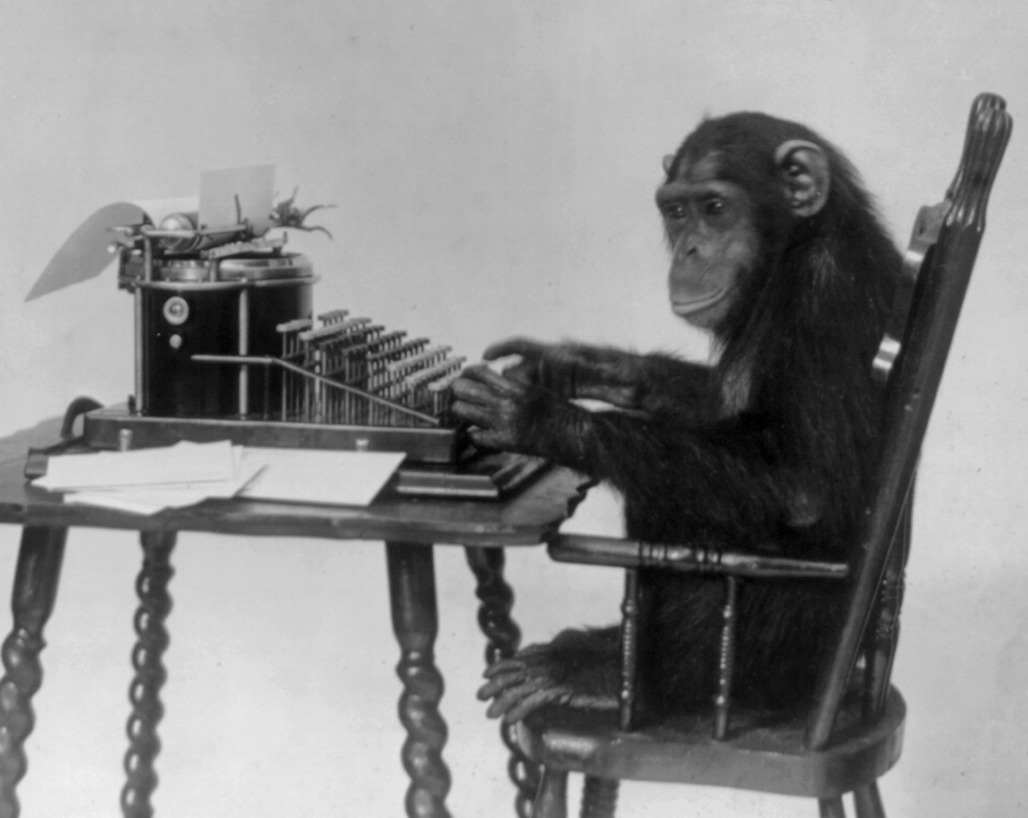](https://en.wikipedia.org/wiki/Infinite_monkey_theorem) -&&/width +&) -&&/font &&/centered &&/slide +&] -&&slide +&[slide ## Кой съм аз -&&lineb2 +&.br2 -&&font35 +&(font35 Казвам се Камен (моля не ми говорете на Вие), в момента съм третокурсник в КН2. -&&lineb1 +&.br1 Ще водя практикуми - давам ви задачи, вие ги решавате и на живо оправяме проблеми. -&&lineb1 +&.br1 Също ще проверявам част от домашните и контролните през семестъра. -&&/font +&) -&&/slide +&] -&&slide +&[slide ## Кои сте вие Айде сега, ред по ред: -&&lineb2 +&.br3 -&&font35 +&(font35 - Име - Едва ли ще го запомня сега, не ми се сърдете :) @@ -56,24 +56,24 @@ - в какво IDE/текстов редактор? - как сте се научили (чрез интернет, курсове, ...)? Ходили ли сте на курсове? Къде? -&&/font +&) -&&/slide +&] -&&slide +&[slide ## Чисто организационно -&&lineb3 +&.br3 -&¢ered &&font35 +&(centered35 Задачи, презентации, ... [syndamia.com/teaching/upp-2023](/teaching/upp-2023) -&&/font &&/centered +&) -&&lineb3 +&.br3 - Не сме в училище, ако трябва да излезете за разговор или до тоалетна, просто си излезте (за предпочитане по-тихичко). @@ -82,11 +82,11 @@ - Оценяване: ще разберете на първата лекция -&&/slide +&] -&&slide +&[slide ## Как можете да се свържете @@ -101,11 +101,11 @@ Директни линкове към Facebook и Discord има на [профила ми в мудъл](https://learn.fmi.uni-sofia.bg/user/profile.php?id=23229). -&&/slide +&] -&&slide +&[slide ## Как ще протичат практикумите @@ -121,11 +121,11 @@ - Ще качвам решения на задачите, заедно с подробно коментари върху тях, тук: [github.com/Syndamia/upp-2023-solutions](https://github.com/Syndamia/upp-2023-solutions). Това ще се случва в началото на следващия практикум, тоест ще имате една седмица, от деня в който ви давам задачите, през която няма да имате решения. -&&/slide +&] -&&clide +&[middle - Ще използваме GitHub classroom, където ще трябва да качите работата си през упражнението. Целта е да видя какво сте правили и да връщам обратна връзка на всеки. @@ -136,11 +136,11 @@ - Обратна връзка със сигурност ще правя за нещата, предадени по време на практикума. Окуражавам ви да си решите всички задачи и след упражнението, обаче все пак имам лимитирано време, ако искате можете да се свържете с мен за работата ви по някоя от тях, но не гарантирам кога ще мога да го видя. -&&/clide +&] -&&slide +&[slide ## Оплаквайте се! @@ -149,7 +149,7 @@ Ако задачите са трудни, зле направени, ако нещо не обяснявам като хората, изобщо ако нещо не е ок, свържете се с мен, ще го обсъдим. -&&lineb3 +&.br3 ## Помагайте си! @@ -159,17 +159,17 @@ Със сигурност няма да успея да помогна на всеки по всяко време от практикума, не се страхувайте да питате съседите си за помощ. -&&/slide +&] -&&slide +&[slide ## Няколко съвета в позицията ми на третокурсник -&&lineb2 +&.br2 -&&font35 +&(font35 - **НЕ плагиатствайте!** **НЕ си качвайте решенията на контролни или домашни онлайн!** @@ -179,47 +179,47 @@ За хората с опит, ще дойде време когато ще искате да приложите лични знания и практики. Ако не е казано някъде, не го правите и не го обмисляте! -&&/font &&/slide +&) &] -&&clide &¢ered +&[title # Въпроси ? -&&/centered &&/clide +&] -&&clide &¢ered +&[title # ФМИ в контекста на програмирането Или защо учим толкова много математика -&&lineb2 +&.br2 -&&font22 +&(font22 Ще си позволя едно отклонение. Искам да обясня как **аз лично** виждам математиката в компютърния свят. -&&/font +&) -&&/centered &&/clide +&] -&&slide +&[slide ## В КН2 има много и трудна математика -&&table +&{row -&&width35 +&(width35%  -&&/width +&) -&&cont +&{column - Жълто - математически предмет - Червено - проблемни предмети @@ -230,14 +230,14 @@ - Към половината предмети са математики - Почти всички проблемни са наблъскани в 1ви курс -&&/cont +&} -&&/table -&&/slide +&} +&] -&&slide +&[slide ## Защо учим толкова много математика? @@ -248,40 +248,38 @@ Смесица на уводите в няколко предмета: -&&table +&{row -&&font35 +&(font35  Claude Shannon -&&/font +&) -&&cont +&{column - **Булева алгебра**: как работим с истина/лъжа, с 0/1 - Доказана е [еквивалентност между ел. вериги и булевата алгебра](https://en.wikipedia.org/wiki/A_Symbolic_Analysis_of_Relay_and_Switching_Circuits). - Много типове данни и математически операции могат да се сведат до булева алгебра и работа с памет. -&&/cont +&} +&} &] -&&/table &&/slide - - -&&slide +&[slide ### Дискретни структури (продължение) -&&lineb1 +&.br1 - **Теория на множествата**: множество е някаква съвкупност от обекти - Позволява ни да третираме колекция от математически обекти като математически обект[^importance-of-sets]. Използва се в основата на много математики; колкото са полезни те, толкова са и множествата. -&&lineb2 +&.br2 - **Комбинаторика**[^importance-of-combinatorics]: изследва бройки на неща @@ -289,55 +287,55 @@ Claude Shannon - Употребява се при оптимизации и теория на кодирането (компресиране на данни, отстраняване на грешки, криптография) - Есенциална в теория на графите -&&/slide +&] -&&slide +&[slide ### Дискретни структури (продължение) -&&lineb5 +&.br5 - **Теория на графите**: граф е съвкупност от някакви обекти и връзки между тях. - Позволява моделиране на много естествени структури: интернет мрежите, географски карти (места и пътищата между тях), йерархии, биологически мрежи и так. нат. - Използва се във важни структури от данни като [heap](https://en.wikipedia.org/wiki/Heap_%28data_structure%29) (и интересната [fibonacci heap](https://www.youtube.com/watch?v=6JxvKfSV9Ns)) и [trie](https://en.wikipedia.org/wiki/Trie) -&&/slide +&] -&&slide +&[slide ### Езици, автомати и изчислимост -&&lineb5 +&.br5 -&&table +&{row -&&font35 -&&width85  &&/width +&(font35 +&(width85%  &) Stephen Kleene -&&/font +&) -&&cont +&{column Това е част от материала в по-общото "theoretical computer science". Можем формално да опишем и работим с теоретични компютри и програми. - Позволява ни да използваме математика за създаване, обработка и доказване на програми -&&/cont +&} -&&/table -&&/slide +&} +&] -&&slide +&[slide -&&lineb1 +&.br1 ### Алгебра 1 @@ -347,7 +345,7 @@ Stephen Kleene - Основоположна в компютърната графика - Много използвана в machine learning -&&lineb3 +&.br3 ### Диференциално и интегрално смятане @@ -357,11 +355,11 @@ Stephen Kleene - Напреднал machine learning, главно заради употребата на статистиката (която на свой ред се основава на линейната алгебра) - Анализ на алгоритми -&&/slide +&] -&&slide &&font35 +&[slide35 ## В по-общ план @@ -378,11 +376,11 @@ Stephen Kleene Математиката е **неразделима** част от софтуера! Друг е въпросът дали на вас лично ще ви се налага да я използвате... -&&/font &&/slide +&] -&&slide +&[slide ## Какво означава да пишеш софтуер? @@ -394,32 +392,32 @@ Stephen Kleene - Най-великият труд на тази дисциплина е постигнат чрез **синхрон** между тези три предмета - &¢ered &&width60 &&table + &(centered &(width60% &{row   - &&/table &&/width &&/centered + &} &) &) -&&/slide +&] -&&clide &¢ered &&font35 +&[title35 # Означава да създадеш<br>deus ex machina С други думи, позволява ни да разрешим неразрешими проблеми -&&/font &&/centered &&/clide +&] -&&clide &¢ered &&font35 +&[title35 # [Достатъчно философия, сега ще конфигурираме всичко нужно за първото ни упражнение](./setup.html) -&&/font &&/centered &&/clide +&] ### Употреба на изображения diff --git a/src/teaching/upp-2023/week10/index.md b/src/teaching/upp-2023/week10/index.md index 043d913..722e705 100644 --- a/src/teaching/upp-2023/week10/index.md +++ b/src/teaching/upp-2023/week10/index.md @@ -2,7 +2,7 @@ GitHub classroom: [classroom.github.com/a/EJcTQRz4](https://classroom.github.com/a/EJcTQRz4) -&&important Във всички задачи **трябва** да използвате рекурсия! +&:important Във всички задачи **трябва** да използвате рекурсия! ## Задача 1 diff --git a/src/teaching/upp-2023/week11/index.md b/src/teaching/upp-2023/week11/index.md index d19f0d2..92ce89e 100644 --- a/src/teaching/upp-2023/week11/index.md +++ b/src/teaching/upp-2023/week11/index.md @@ -2,9 +2,9 @@ GitHub classroom: [classroom.github.com/a/cZRnZj9y](https://classroom.github.com/a/cZRnZj9y) -&&important Във всички задачи **трябва** да използвате рекурсия! +&:important Във всички задачи **трябва** да използвате рекурсия! -&&warn Някои задачи се повтарят с тези от миналия път, ако преди не сте ги решили, сега ги решете +&:warn Някои задачи се повтарят с тези от миналия път, ако преди не сте ги решили, сега ги решете ## Алтернативни задачи diff --git a/src/teaching/upp-2023/week12/index.md b/src/teaching/upp-2023/week12/index.md index a4be259..d914431 100644 --- a/src/teaching/upp-2023/week12/index.md +++ b/src/teaching/upp-2023/week12/index.md @@ -2,7 +2,7 @@ GitHub classroom: [classroom.github.com/a/KEDSxDjl](https://classroom.github.com/a/KEDSxDjl) -&&important Във всички задачи **трябва** да използвате рекурсия! +&:important Във всички задачи **трябва** да използвате рекурсия! ## Алтернативни задачи @@ -86,11 +86,11 @@ GitHub classroom: [classroom.github.com/a/KEDSxDjl](https://classroom.github.com Направете програма, която чисто рекурсивно изчислиява изрази в обратен полски запис, който поддържа цели числа и операциите събиране, умножение, деление, изваждане и степенуване (за степенуване ще използваме знакът `^`). -&&important Обаче, за едно извикване на рекурсивната функция, може да пазите само един елемент на израза (число или оператор)! +&:important Обаче, за едно извикване на рекурсивната функция, може да пазите само един елемент на израза (число или оператор)! Изразът винаги завършва на знака `$`. -&&warn Относно вход/изход, понеже няма как да знаем дали i-тата стойност е число или знак (операция), трябва да използваме функцията `std::cin.fail()`, която връща булева стойност, която ни казва дали записването на входа е било успешно.<br> +&:warn Относно вход/изход, понеже няма как да знаем дали i-тата стойност е число или знак (операция), трябва да използваме функцията `std::cin.fail()`, която връща булева стойност, която ни казва дали записването на входа е било успешно.<br> Тоест, може винаги да запазвате входа в целочислен тип, когато стигнете до знак `std::cin.fail()` ще върне `true`. След това трябва да "забравите" за грешката чрез `std::cin.clear()` и може втори път да запазите входа (провалените данни ще се препрочетат) в променлива от знаков тип.<br> Но това поражда друг проблем, понеже записваме в целочислен тип, когато въведем `+` или `-`, `std::cin` ще очаква това да е водещ знак на число, и ще продължи да чака входа докато не въведем друг знак, тоест `+` и `-` ще бъдат пропуснати. diff --git a/src/teaching/upp-2023/week13/index.md b/src/teaching/upp-2023/week13/index.md index 4608c3b..f0e4b9a 100644 --- a/src/teaching/upp-2023/week13/index.md +++ b/src/teaching/upp-2023/week13/index.md @@ -37,7 +37,7 @@ GitHub classroom: [classroom.github.com/a/bgiFD6SB](https://classroom.github.com Използвайте **само една функция за сортиране!** Като подсказка, използвайте указатели към функции за да променяте как тя работи. -&&question Какво свойство трябва да е изпълнено за сортиращата функция? +&:question Какво свойство трябва да е изпълнено за сортиращата функция? **Примери:** @@ -136,7 +136,7 @@ A . Накрая трябва да изкарате всички стойности от последния израз. -&&warn Погледнете пояснението за вход/изход от [последната задача от миналия път](../week12/#4). +&:warn Погледнете пояснението за вход/изход от [последната задача от миналия път](../week12/#4). **Пример:** diff --git a/src/teaching/upp-2023/week2/revision.md b/src/teaching/upp-2023/week2/revision.md index ebf6db6..73e897f 100644 --- a/src/teaching/upp-2023/week2/revision.md +++ b/src/teaching/upp-2023/week2/revision.md @@ -1,20 +1,20 @@ # Преговор - УПП, Седмица 2, 13.10.2023 -&&presentation +&.presentation -&&clide &¢ered +&[title # Конвертиране на данни, побитови оператори, условни оператори -&&/centered &&/clide +&] -&&slide +&[slide ## Конвертиране на данни -&&lineb3 +&.br3 - Неявно (скрито, експлицитно): компилаторът сам се досеща да промени типа @@ -30,13 +30,13 @@ int m = (int)a + (int)b; ``` -&&/slide +&] -&&slide +&[slide -&&lineb5 +&.br5 - Със загуба на информация (от по-голям тип в по-малък) @@ -52,11 +52,11 @@ long b = a; ``` -&&/slide +&] -&&slide +&[slide ## Побитови оператори @@ -67,7 +67,7 @@ **Означавам побитовите числа с водеща буква "b"!** Тоест, числото `b1001` е двоичното число `1001`, което е десетичното число `9`. -&&lineb3 +&.br3 - Отрицание/негация, `~`: обръща 0 в 1 и 1 в 0 @@ -75,11 +75,11 @@ ~ b0010 = b1101 ``` -&&/slide +&] -&&slide +&[slide - Побитово "и", `&`: за два бита, ако и двете са 1, връща 1, иначе връща 0 @@ -102,11 +102,11 @@ b0011 ^ b0101 = b0110 ``` -&&/slide +&] -&&clide &&font27 +&[middle27 - Побитово отместване на ляво, `<<`: отмества всеки бит с n позиции на ляво Винаги "запълва" с нули (няма разлика между логическо и аритметично ляво отместване) @@ -128,11 +128,11 @@ b1010 >> 3 = b0001 или пък b1111 ``` -&&/font &&/clide +&] -&&clide +&[middle Примери с код: @@ -156,19 +156,19 @@ int r4 = (unsigned int)b >> 1; // 2 int r5 = (unsigned int)-b >> 1; // 2147483645 ``` -&&/clide +&] -&&slide +&[slide ## Логически оператори Много приличат на побитовите, обаче побитовите работят върху битове, докато логическите работят върху bool. -&&lineb4 +&.br4 - `!`: обръща `true` във `false` и обратно @@ -177,11 +177,11 @@ int r5 = (unsigned int)-b >> 1; // 2147483645 ! false // true ``` -&&/slide +&] -&&clide +&[middle - `&&`: "логическо и", ако и двете стойности са `true`, тогава и резултатът е `true` @@ -199,11 +199,11 @@ int r5 = (unsigned int)-b >> 1; // 2147483645 false || false // false ``` -&&/clide +&] -&&slide +&[slide ## Условни конструкции @@ -225,11 +225,11 @@ int r5 = (unsigned int)-b >> 1; // 2147483645 dootherthing; ``` -&&/slide +&] -&&clide &&font25 +&[middle25 - `if-else`: работи като `if`, обаче след къдравите скоби добавяме `else { ... }`. @@ -256,11 +256,11 @@ int r5 = (unsigned int)-b >> 1; // 2147483645 dootherthing; ``` -&&/font &&/clide +&] -&&slide &&font25 +&[slide25 - благодарение на изпускането на къдрави скоби, можем да пишем @@ -290,11 +290,11 @@ int r5 = (unsigned int)-b >> 1; // 2147483645 } ``` -&&/font &&/slide +&] -&&slide +&[slide - `expression` винаги се конвертира до тип `bool` (ако е нужно) **Никога не правете такива неща:** @@ -320,11 +320,11 @@ int r5 = (unsigned int)-b >> 1; // 2147483645 Просто правите `bool a = ! expression;` -&&/slide +&] -&&slide +&[slide - Тернарен оператор: ако искате да имате такава условна конструкция като част от израз (който взема стойност) използвате @@ -348,11 +348,11 @@ int r5 = (unsigned int)-b >> 1; // 2147483645 std::cout << ((grade < 300) ? 2.0 : grade / 100.0); ``` -&&/slide +&] -&&clide &&font27 +&[middle27 - `switch`: приема стойност и изпълнява случая, при който стойността съвпада с определената @@ -377,12 +377,12 @@ int r5 = (unsigned int)-b >> 1; // 2147483645 Без `break` изпълнението продължава към следващия `case` -&&/font &&/clide +&] -&&clide +&[middle ```cpp char characterInput; @@ -395,4 +395,4 @@ switch(characterInput) { } ``` -&&/clide +&] diff --git a/src/teaching/upp-2023/week3/revision.md b/src/teaching/upp-2023/week3/revision.md index cb0ac61..b1dab08 100644 --- a/src/teaching/upp-2023/week3/revision.md +++ b/src/teaching/upp-2023/week3/revision.md @@ -1,17 +1,17 @@ # Преговор - УПП, Седмица 3, 20.10.2023 -&&presentation +&.presentation -&&clide &&font35 &¢ered +&[title35 # Цикли, assert -&&/centered &&/font &&/clide +&] -&&slide &&font25 +&[slide25 ## Бележки от миналия път @@ -42,11 +42,11 @@ bool b = !condition; ``` -&&/font &&/slide +&] -&&clide +&[middle - второ: @@ -64,15 +64,15 @@ a >= '0' && a <= '9' ``` -&&/clide +&] -&&slide +&[slide ## С/без загуба на данни -&&lineb3 +&.br3 Получи се малко разногласие между това, което Ивана ви е казала и това което аз ви казах. В края на деня, **конвертиране от int към unsigned int не губи информация!** @@ -83,11 +83,11 @@ Тоест, конвертирания при които не губиш битове, нямаш загуба на данни. -&&/slide +&] -&&slide +&[slide ## 2s compliment @@ -109,11 +109,11 @@ 000 0 ``` -&&/slide +&] -&&clide +&[middle Това работи, обаче имаме един гигантски проблем: събирането не работи! От математика знаем, че "2 - 1 = 2 + (-1)", тоест би трябвало да можем да съберем побитово 2 и -1 и да получим 1. @@ -133,11 +133,11 @@ Да не говорим, че ние имаме -0, което не ни трябва много. -&&/clide +&] -&&clide +&[middle Нека да помислим пак, да вземем само положителните: @@ -156,11 +156,11 @@ Нека тогава "-1 = 111". -&&/clide +&] -&&slide +&[slide Правейки същото за "2 + -2", намираме че @@ -186,11 +186,11 @@ 100 не сме го използвали, обаче намерихме отрицателното число за всяко положително. Да видим как работим с него, побитово "100 + 001 = 101", тоест "x + 1 = -3", следователно x ще бъде -4. -&&/slide +&] -&&clide +&[middle Това е идеята на "complements", дефинираме отрицателни числа, така че да използваме едно и също събиране между положителни и отрицателни. @@ -212,15 +212,15 @@ 11111111111111111111111111111110 ``` -&&/clide +&] -&&slide +&[slide ## Цикли -&&lineb4 +&.br4 - `while` цикъл @@ -232,11 +232,11 @@ "условие" е булева стойност, като ако е `false` цикъла спира, докато ако е `true` "тяло" се изпълнява и после пак се проверява условие -&&/slide +&] -&&clide +&[middle - Може да си го представите като @@ -258,11 +258,11 @@ ... ``` -&&/clide +&] -&&slide +&[slide - `do-while` цикъл, като `while`, но "тяло" се изпълнява поне един път @@ -289,11 +289,11 @@ ... ``` -&&/slide +&] -&&clide +&[middle - `for` цикъл @@ -307,11 +307,11 @@ "условие" се изпълнява преди всяка итерация, като ако е `false` цикъла спира, докато ако е `true` продължава "инкрементация" се изпълнява след края на всяка итерация -&&/clide +&] -&&slide +&[slide - Може да си представяте, че това на практика извършва: @@ -336,11 +336,11 @@ ... ``` -&&/slide +&] -&&clide +&[middle - или използвайки `while` цикъл: @@ -352,36 +352,36 @@ } ``` -&&/clide +&] -&&slide +&[slide ### Ключови думи -&&lineb3 +&.br3 - `break`: моментално прекратява изпълнението на цикъла При `for` цикли инкрементацията не се изпълнява след `break` -&&lineb2 +&.br2 - `continue`: продължи след края на сегашната итерация; тоест изпълнението на тяло се прекратява и започваме нова итерация При `for` цикли директно отива на инкрементация -&&/slide +&] -&&slide +&[slide ## Assert -&&lineb3 +&.br3 Понякога е полезно да тестваме нашия код вътре в самия код. Тоест, искаме на конкретно място в кода да проверим нещо. @@ -394,4 +394,4 @@ assert(condition); Използва се повече като програмистки уред, тоест ако програмата спре заради `assert`, това е защото има някаква програмистка грешка. -&&/slide +&] diff --git a/src/teaching/upp-2023/week4/revision.md b/src/teaching/upp-2023/week4/revision.md index b5de82d..3650875 100644 --- a/src/teaching/upp-2023/week4/revision.md +++ b/src/teaching/upp-2023/week4/revision.md @@ -1,16 +1,16 @@ # Преговор - УПП, Седмица 4, 27.10.2023 -&&presentation +&.presentation -&&clide &&font35 &¢ered +&[title35 # Функции и алгоритмични задачи -&&/centered &&/font &&/clide +&] -&&slide &&font27 +&[slide27 ## От сега нататък ще направим няколко промени @@ -26,7 +26,7 @@ - Ще може да предавате задания след срока! Искам да решите колкото се може повече вкъщи. -&&/font &&/slide +&] @@ -34,7 +34,7 @@ -&&slide +&[slide ## 2s compliment @@ -56,11 +56,11 @@ 000 0 ``` -&&/slide +&] -&&clide +&[middle Това работи, обаче имаме един гигантски проблем: събирането не работи! От математика знаем, че "2 - 1 = 2 + (-1)", тоест би трябвало да можем да съберем побитово 2 и -1 и да получим 1. @@ -80,11 +80,11 @@ Да не говорим, че ние имаме -0, което не ни трябва много. -&&/clide +&] -&&clide +&[middle Нека да помислим пак, да вземем само положителните: @@ -103,11 +103,11 @@ Нека тогава "-1 = 111". -&&/clide +&] -&&slide +&[slide Правейки същото за "2 + -2", намираме че @@ -133,11 +133,11 @@ 100 не сме го използвали, обаче намерихме отрицателното число за всяко положително. Да видим как работим с него, побитово "100 + 001 = 101", тоест "x + 1 = -3", следователно x ще бъде -4. -&&/slide +&] -&&clide +&[middle Това е идеята на "complements", дефинираме отрицателни числа, така че да използваме едно и също събиране между положителни и отрицателни. @@ -159,7 +159,7 @@ 11111111111111111111111111111110 ``` -&&/clide +&] diff --git a/src/teaching/upp-2023/week6/index.md b/src/teaching/upp-2023/week6/index.md index 991f987..34c3f53 100644 --- a/src/teaching/upp-2023/week6/index.md +++ b/src/teaching/upp-2023/week6/index.md @@ -189,7 +189,7 @@ $ 1 1 |6 1 3 7 3 0 958|959| |17 5 9 8 6 1 8 3 9 5 9 9 2 7 8 0 91461 772000|863461| -&&question Какво прави последната програма? +&:question Какво прави последната програма? **Бонус:** направете програми за симулаторния компютър, които diff --git a/src/teaching/upp-2023/week7/index.md b/src/teaching/upp-2023/week7/index.md index 329581c..b216992 100644 --- a/src/teaching/upp-2023/week7/index.md +++ b/src/teaching/upp-2023/week7/index.md @@ -10,7 +10,7 @@ GitHub classroom: [classroom.github.com/a/m5M2_CWD](https://classroom.github.com Направете функция, която получава два двуизмерни координата, покомпонентно ги сумира и връща резултатните координати. Няма как функцията да върне две стойности, затова добаваете още два аргумента, които да са указатели към променливи в които да запазим сумираните координати. -&&warn **Трябва** да използвате референции вместо указатели! +&:warn **Трябва** да използвате референции вместо указатели! От входа получавате два координата, след това връщате тяхната покомпонентна сума **използвайки функцията**. @@ -31,7 +31,7 @@ GitHub classroom: [classroom.github.com/a/m5M2_CWD](https://classroom.github.com Ако буквата е `a`, `b` или `c`, тогава този продукт става "сегашния" продукт. Ако буквата е `S`, тогава намаляте бройката на сегашния продукт с 1, а ако е `R` - увеличаваме с 10. -&&warn **НЕ** може да използвате масиви! **Трябва** действията на `S` и `R` да се изкарат във функции! +&:warn **НЕ** може да използвате масиви! **Трябва** действията на `S` и `R` да се изкарат във функции! Когато получите `$`, изкарвате броя на всеки продукт и спирате програмата. @@ -46,7 +46,7 @@ GitHub classroom: [classroom.github.com/a/m5M2_CWD](https://classroom.github.com В началото получавате буква - тя съответства на дадена **функция**, след това получавате 5 числа с плаваща запетая. След всяко въведено трябва да изкарате резултата от съответната функция при подадено входното число. -&&warn **Трябва** да използвате указател към функция! +&:warn **Трябва** да използвате указател към функция! Буквите съответстват на следните функции: diff --git a/src/teaching/upp-2023/week8/index.md b/src/teaching/upp-2023/week8/index.md index f3ab415..561dc71 100644 --- a/src/teaching/upp-2023/week8/index.md +++ b/src/teaching/upp-2023/week8/index.md @@ -2,7 +2,7 @@ GitHub classroom: [classroom.github.com/a/Big7FRUG](https://classroom.github.com/a/Big7FRUG) -&&warn **Трябва** да използвате възможно най-малко памет във всички задачи! +&:warn **Трябва** да използвате възможно най-малко памет във всички задачи! ## Задача 1 @@ -77,7 +77,7 @@ GitHub classroom: [classroom.github.com/a/Big7FRUG](https://classroom.github.com Друг начин по който да го разберем, е че първото число е на първа позиция, второто число е на последната, третото число е на втора позиция, четвъртото е на предпоследна и так. нат. Обаче ние не знаем финалния размер на масива, затова се нуждаем от логиката с чертата. -&&important Моля не правете решенето със запазване на входа и разместване на елементите +&:important Моля не правете решенето със запазване на входа и разместване на елементите Напомням, че тази права само си я представяте. В началото масива е с размер 2. diff --git a/src/teaching/upp-2023/week9/index.md b/src/teaching/upp-2023/week9/index.md index 86e7cca..557b89a 100644 --- a/src/teaching/upp-2023/week9/index.md +++ b/src/teaching/upp-2023/week9/index.md @@ -2,7 +2,7 @@ GitHub classroom: [classroom.github.com/a/lGXxCRZO](https://classroom.github.com/a/lGXxCRZO) -&&warn Освен ако не е казано друго, може да зачитате, че максималната дължина на един низ е 1024 знака. +&:warn Освен ако не е казано друго, може да зачитате, че максималната дължина на един низ е 1024 знака. ## Задача 1 @@ -21,7 +21,7 @@ GitHub classroom: [classroom.github.com/a/lGXxCRZO](https://classroom.github.com Изкарайте на екрана втората половина от низа и след това директно долепена първата половина. Ако низа е с нечетна дължина, зачитаме средния елемент като част от втората половина. -&&important Трябва да използвате динамична памет +&:important Трябва да използвате динамична памет **Примери:** diff --git a/src/tutorials.md b/src/tutorials.md index 1cbf84d..bfd957d 100644 --- a/src/tutorials.md +++ b/src/tutorials.md @@ -6,58 +6,58 @@ Educational articles with the sole goal of explaining technologies, processes or #### *2023* -&&gb 16 Dec   [Fix "qc timeout" kernel log error](/tutorials/fix-qc-timeout) +&.gb 16 Dec   [Fix "qc timeout" kernel log error](/tutorials/fix-qc-timeout) : `Linux` | `kernel` | `libata` `qc` `logs` `DMA` -&&gb 28 Jun   [Fix networked Brother printers not working in Linux](/tutorials/fix-network-brother-printers) +&.gb 28 Jun   [Fix networked Brother printers not working in Linux](/tutorials/fix-network-brother-printers) : `Linux` | `CUPS` | `Printers` `Brother` `Network` `avahi` -&&gb 14 Jun   [Fix "exec /gns3/init.sh: no such file or directory"](/tutorials/gns3-initsh-no-such-file) +&.gb 14 Jun   [Fix "exec /gns3/init.sh: no such file or directory"](/tutorials/gns3-initsh-no-such-file) : `Linux` | `GNS3` | `Docker` `busybox` -&&gb 26 Apr   [Install drivers for Epson scanners](/tutorials/install-drivers-for-epson-scanners) +&.gb 26 Apr   [Install drivers for Epson scanners](/tutorials/install-drivers-for-epson-scanners) : `Linux` | `SANE` | `Scanners` `Epson` `epkowa` `iscan` -&&gb 25 Apr   [Managing Android apps with ADB (and without root)](/tutorials/managing-apps-with-adb-without-root) +&.gb 25 Apr   [Managing Android apps with ADB (and without root)](/tutorials/managing-apps-with-adb-without-root) : `Android` | `ADB` | `Apps` `Linux` `Windows` -&&gb 01 Jan   [virt-manager freezing up when clicking Browse in any window](/tutorials/virt-manager-freeze-on-browse) +&.gb 01 Jan   [virt-manager freezing up when clicking Browse in any window](/tutorials/virt-manager-freeze-on-browse) : `Linux` | `virt-manager` | `QEMU/KVM` `libvirt` `Linux` `GTK` #### *2022* -&&gb 16 Sep   [How to encrypt email](/tutorials/how-to-encrypt-email) +&.gb 16 Sep   [How to encrypt email](/tutorials/how-to-encrypt-email) : `All` | `Email` | `PGP` `S/MIME` `Email Client` `Gmail` `Outlook` `Protonmail` -&&gb 30 Jul   [Fix "No frame buffer" error in <span class="no-wrap">Plan 9</span>](/tutorials/fix-no-frame-buffer-plan9) +&.gb 30 Jul   [Fix "No frame buffer" error in <span class="no-wrap">Plan 9</span>](/tutorials/fix-no-frame-buffer-plan9) : `Plan 9` | `Configuration` | `QEMU/KVM` `Linux` `monitor` -&&gb 30 Jul   [Install <span class="no-wrap">Plan 9</span> with virt-manager](/tutorials/install-plan9-with-virt-manager) +&.gb 30 Jul   [Install <span class="no-wrap">Plan 9</span> with virt-manager](/tutorials/install-plan9-with-virt-manager) : `Plan 9` | `Installation` | `Setup` `QEMU/KVM` `virt-manager` `Linux` #### *2021* -&&gb 01 Nov   [How to turn off notifications on Windows](/tutorials/turn-off-notifications-windows) +&.gb 01 Nov   [How to turn off notifications on Windows](/tutorials/turn-off-notifications-windows) : `Windows 10` | `Settings` | `Notifications` -&&gb 01 Nov   [How to disable Sticky Keys prompt](/tutorials/disable-sticky-keys-popup) +&.gb 01 Nov   [How to disable Sticky Keys prompt](/tutorials/disable-sticky-keys-popup) : `Windows` | `Settings` | `Sticky Keys` -&&gb 26 Oct   [How to remove Windows Weather Widget](/tutorials/remove-weather-widget) +&.gb 26 Oct   [How to remove Windows Weather Widget](/tutorials/remove-weather-widget) : `Windows 10` | `Settings` | `Taskbar` `Weather Widget` -&&gb 04 Oct   [Windows Run dialog](/tutorials/windows-run-dialog) +&.gb 04 Oct   [Windows Run dialog](/tutorials/windows-run-dialog) : `Windows` | `Commands` | `Run` `Settings` -&&gb 03 Oct   [How to export Skype data](/tutorials/export-skype) +&.gb 03 Oct   [How to export Skype data](/tutorials/export-skype) : `Skype` | `Export` | `Archive` `skype-parser` #### *2020* -&&gb 24 Jul   [How to use Jira](/tutorials/how-to-use-jira) +&.gb 24 Jul   [How to use Jira](/tutorials/how-to-use-jira) : `Project Management` | `Jira` | `Agile` `Issue tracking` `Bug tracking` `Kanban` `Atlassian` -&&gb 21 May   [Connect to Mysql in .NET and Entity Framework](/tutorials/connect-to-mysql-in-dotnet-ef) +&.gb 21 May   [Connect to Mysql in .NET and Entity Framework](/tutorials/connect-to-mysql-in-dotnet-ef) : `ASP.Net` | `MySQL` | `Entity Framework` `Pomelo` diff --git a/src/tutorials/fix-qc-timeout/index.md b/src/tutorials/fix-qc-timeout/index.md index fe93cdf..9b02a48 100644 --- a/src/tutorials/fix-qc-timeout/index.md +++ b/src/tutorials/fix-qc-timeout/index.md @@ -37,7 +37,7 @@ libata.force=3.01:nodmalog ## Explanation -&&important The following is how I understand the issue, but I did not find definitive proof thats exactly what happens. +&:important The following is how I understand the issue, but I did not find definitive proof thats exactly what happens. Take this section with a grain of salt. A harddrive can support [dma transfers](https://en.wikipedia.org/wiki/Direct_memory_access), normally the CPU would handle data transfer from the harddrive to the system memory (RAM), meaning it asks for a bit of data, waits, when the data comes, puts it in memory, then asks for next bit and so on. diff --git a/src/tutorials/index.md b/src/tutorials/index.md index 1cbf84d..bfd957d 100644 --- a/src/tutorials/index.md +++ b/src/tutorials/index.md @@ -6,58 +6,58 @@ Educational articles with the sole goal of explaining technologies, processes or #### *2023* -&&gb 16 Dec   [Fix "qc timeout" kernel log error](/tutorials/fix-qc-timeout) +&.gb 16 Dec   [Fix "qc timeout" kernel log error](/tutorials/fix-qc-timeout) : `Linux` | `kernel` | `libata` `qc` `logs` `DMA` -&&gb 28 Jun   [Fix networked Brother printers not working in Linux](/tutorials/fix-network-brother-printers) +&.gb 28 Jun   [Fix networked Brother printers not working in Linux](/tutorials/fix-network-brother-printers) : `Linux` | `CUPS` | `Printers` `Brother` `Network` `avahi` -&&gb 14 Jun   [Fix "exec /gns3/init.sh: no such file or directory"](/tutorials/gns3-initsh-no-such-file) +&.gb 14 Jun   [Fix "exec /gns3/init.sh: no such file or directory"](/tutorials/gns3-initsh-no-such-file) : `Linux` | `GNS3` | `Docker` `busybox` -&&gb 26 Apr   [Install drivers for Epson scanners](/tutorials/install-drivers-for-epson-scanners) +&.gb 26 Apr   [Install drivers for Epson scanners](/tutorials/install-drivers-for-epson-scanners) : `Linux` | `SANE` | `Scanners` `Epson` `epkowa` `iscan` -&&gb 25 Apr   [Managing Android apps with ADB (and without root)](/tutorials/managing-apps-with-adb-without-root) +&.gb 25 Apr   [Managing Android apps with ADB (and without root)](/tutorials/managing-apps-with-adb-without-root) : `Android` | `ADB` | `Apps` `Linux` `Windows` -&&gb 01 Jan   [virt-manager freezing up when clicking Browse in any window](/tutorials/virt-manager-freeze-on-browse) +&.gb 01 Jan   [virt-manager freezing up when clicking Browse in any window](/tutorials/virt-manager-freeze-on-browse) : `Linux` | `virt-manager` | `QEMU/KVM` `libvirt` `Linux` `GTK` #### *2022* -&&gb 16 Sep   [How to encrypt email](/tutorials/how-to-encrypt-email) +&.gb 16 Sep   [How to encrypt email](/tutorials/how-to-encrypt-email) : `All` | `Email` | `PGP` `S/MIME` `Email Client` `Gmail` `Outlook` `Protonmail` -&&gb 30 Jul   [Fix "No frame buffer" error in <span class="no-wrap">Plan 9</span>](/tutorials/fix-no-frame-buffer-plan9) +&.gb 30 Jul   [Fix "No frame buffer" error in <span class="no-wrap">Plan 9</span>](/tutorials/fix-no-frame-buffer-plan9) : `Plan 9` | `Configuration` | `QEMU/KVM` `Linux` `monitor` -&&gb 30 Jul   [Install <span class="no-wrap">Plan 9</span> with virt-manager](/tutorials/install-plan9-with-virt-manager) +&.gb 30 Jul   [Install <span class="no-wrap">Plan 9</span> with virt-manager](/tutorials/install-plan9-with-virt-manager) : `Plan 9` | `Installation` | `Setup` `QEMU/KVM` `virt-manager` `Linux` #### *2021* -&&gb 01 Nov   [How to turn off notifications on Windows](/tutorials/turn-off-notifications-windows) +&.gb 01 Nov   [How to turn off notifications on Windows](/tutorials/turn-off-notifications-windows) : `Windows 10` | `Settings` | `Notifications` -&&gb 01 Nov   [How to disable Sticky Keys prompt](/tutorials/disable-sticky-keys-popup) +&.gb 01 Nov   [How to disable Sticky Keys prompt](/tutorials/disable-sticky-keys-popup) : `Windows` | `Settings` | `Sticky Keys` -&&gb 26 Oct   [How to remove Windows Weather Widget](/tutorials/remove-weather-widget) +&.gb 26 Oct   [How to remove Windows Weather Widget](/tutorials/remove-weather-widget) : `Windows 10` | `Settings` | `Taskbar` `Weather Widget` -&&gb 04 Oct   [Windows Run dialog](/tutorials/windows-run-dialog) +&.gb 04 Oct   [Windows Run dialog](/tutorials/windows-run-dialog) : `Windows` | `Commands` | `Run` `Settings` -&&gb 03 Oct   [How to export Skype data](/tutorials/export-skype) +&.gb 03 Oct   [How to export Skype data](/tutorials/export-skype) : `Skype` | `Export` | `Archive` `skype-parser` #### *2020* -&&gb 24 Jul   [How to use Jira](/tutorials/how-to-use-jira) +&.gb 24 Jul   [How to use Jira](/tutorials/how-to-use-jira) : `Project Management` | `Jira` | `Agile` `Issue tracking` `Bug tracking` `Kanban` `Atlassian` -&&gb 21 May   [Connect to Mysql in .NET and Entity Framework](/tutorials/connect-to-mysql-in-dotnet-ef) +&.gb 21 May   [Connect to Mysql in .NET and Entity Framework](/tutorials/connect-to-mysql-in-dotnet-ef) : `ASP.Net` | `MySQL` | `Entity Framework` `Pomelo` |