
diff options
| Commit | 330c2abd3d2137811bbaa9c2c1dd7c170b88b2f7 (patch) | |
|---|---|---|
| Author | 2024-02-26 09:35:16 +0200 | |
| Committer | 2024-02-26 09:35:16 +0200 | |
| Files | 140359f1fce8f99bc85c3128b621ee0c6e11d571 | |
| syndamia.com-330c2abd3d2137811bbaa9c2c1dd7c170b88b2f7.tar syndamia.com-330c2abd3d2137811bbaa9c2c1dd7c170b88b2f7.tar.gz syndamia.com-330c2abd3d2137811bbaa9c2c1dd7c170b88b2f7.zip | ||
| Parent | 809ea814d498f94164fe4ea6fd71a143bb43c3c6 (diff) | |
(slides) Updated slides to MEL format
2 files changed, 241 insertions, 238 deletions
| -rw-r--r-- | src/slides/demo/index.md | 96 | ||||
| -rw-r--r-- | src/slides/linuxgraphy-by-strabo/index.md | 383 |
diff --git a/src/slides/demo/index.md b/src/slides/demo/index.md index ebe95bb..c9e26de 100644 --- a/src/slides/demo/index.md +++ b/src/slides/demo/index.md @@ -2,12 +2,14 @@ This is a small presentation, explaining how my custom system for making presentations works. -&&presentation +&:important This page is [due for rework](/rework.html), I've switched to MEL from ftags -&&clide &&font35 &¢ered +&.presentation + +&[title35 # My presentation system -&&font18 *Syndamia AT [syndamia.com](https://syndamia.com)* &&/font +&(font18 *Syndamia AT [syndamia.com](https://syndamia.com)* &) Before we go any further, click the **icon in the middle** right above this rectangle, to the left. @@ -15,15 +17,15 @@ Now the presentation should fill out the entire page. On the bottom right are yo Press the *right arrow* in the controls to go to the next slide. -&&/centered &&/font &&/clide +&] -&&slide &&font27 +&[slide27 # Key bindings -&&lineb3 +&.br3 |Action |Keyboard keys | |--------------------|-------------------------------------------------| @@ -34,15 +36,15 @@ Press the *right arrow* in the controls to go to the next slide. |Go to first slide | Home | |Go to last slide | End | -&&/font &&/slide +&] -&&slide +&[slide # Introduction -&&lineb1 +&.br1 I created a simple system for making presentations with slides in them. The gist of it is: different [Markdown](https://en.wikipedia.org/wiki/Markdown) paragraphs are put into a rectangle, each rectangle representing a slide, with some added options for layout and format. @@ -54,11 +56,11 @@ Each ftag is a "marker" that gets replaced by some other text (usually [HTML tag An easy example is the image of the Great Britain flag (part of [Flags.awk](https://gitlab.com/Syndamia/syndamiadotcom/-/blob/master/awk-edits/Flags.awk), not the presentation system!): typing out &&GB (in lowecase), gets replaced by the actual image - &&gb. -&&/slide +&] -&&slide +&[slide ## Why? @@ -74,11 +76,11 @@ An easy example is the image of the Great Britain flag (part of [Flags.awk](http Creating ftags that are transformed to DZSlide HTML is possible, but at that point I should just make my own system. + and pretty much everything else falls into either category -&&/slide +&] -&&slide +&[slide # Formatting @@ -87,7 +89,7 @@ To summarize, each slide is wrapped in `&&slide` and `&&/slide` (or `&&clide` an And they can work together in most different combination. -&&lineb1 +&.br1 Though, remember that everything gets translated to HTML, so don't do (even if it works) @@ -97,39 +99,39 @@ Though, remember that everything gets translated to HTML, so don't do (even if i Enough talking, here are examples! -&&/slide +&] -&&slide +&[slide -&&font18 Font-size 18px &&/font -&&font20 Font-size 20px &&/font &&font22 Font-size 22px &&/font &&font25 Font-size 25px &&/font +&(font18 Font-size 18px &) +&(font20 Font-size 20px &) &(font22 Font-size 22px &) &(font25 Font-size 25px &) Font-size 30px (default) -&&font35 Font-size 35px &&/font +&(font35 Font-size 35px &) -&&lineb5 +&.br5 -&&fright +&(fright This text is floated to the right -&&/fright +&) -&&lineb2 +&.br2 -&¢ered While this one is centered &&/centered +&(centered While this one is centered &) -&&lineb2 +&.br2 -&&fright Floated right<br>Floated right<br>Floated right &&/fright +&(fright Floated right<br>Floated right<br>Floated right &) But you may realize that text floated to the right will make other text wrap around it! Maybe this should be changed? -&&/slide +&] -&&slide &&font18 +&[slide18 The source Markdown for the predvious slide (without the pipes to the left) is: @@ -161,40 +163,40 @@ Maybe this should be changed? &&/slide ``` -&&/font &&/slide +&] -&&clide &&table +&[middle &{row You can also easily tabularize -&&cont &&fright +&{column &(fright - List Element 1 - List Element 2 -&&/fright &&/cont +&) &} -&&tarow +&.newrow **any** sort of content -&&/table +&} -&&lineb1 +&.br1 -&&ftable +&{sqrow So you can very easily put images next to your text -&¢ered  &&/centered +&(centered  &) -&&/table &&/clide +&} &] -&&slide &&font18 +&[slide18 The source Markdown for the predvious slide (without the pipes to the left) is: @@ -227,11 +229,11 @@ So you can very easily put images next to your text &&/table &&/clide ``` -&&/font &&/slide +&] -&&slide &&font27 +&[slide27 # Other features @@ -248,18 +250,16 @@ Everything is contained in 3 files: [Presentation.awk](https://gitlab.com/Syndam `Presentation.awk` handles replacement of ftags (only in `/talks` pages!). `presentation.js` is inserted into the HTML by `&&presentation`, and handles the navigation bar as well as insertion of `presentation.css` (the overall presentation-specific styling). -&&/font &&/slide +&] -&&clide +&[title -&¢ered # Thats All. Thank you for your time! -&&/centered -&&fright &&font18 +&(fright &(font18 *P.S. Press the same button (next to the print button) with which you started presenting, to stop presenting ;)* -&&/font &&/fright +&) &) -&&/clide +&] diff --git a/src/slides/linuxgraphy-by-strabo/index.md b/src/slides/linuxgraphy-by-strabo/index.md index 196df80..5780cfa 100644 --- a/src/slides/linuxgraphy-by-strabo/index.md +++ b/src/slides/linuxgraphy-by-strabo/index.md @@ -10,52 +10,54 @@ ### Presented at -&&bg Unofficial [FMI](https://fmi.uni-sofia.bg/en) Computer Science Discord server   *04.03.2023 || 14:50 - 17:20* +&.bg Unofficial [FMI](https://fmi.uni-sofia.bg/en) Computer Science Discord server   *04.03.2023 || 14:50 - 17:20* : In front of a tiny audience of other uni students. Exact revision [here](https://gitlab.com/Syndamia/syndamiadotcom/-/blob/6feed223ff48fe00cf12fcd63f3f56179c298cae/src/talks/linuxgraphy-by-strabo/index.md). -&&bg Unofficial [FMI](https://fmi.uni-sofia.bg/en) Computer Science Discord server   *22.01.2023 || 18:00 - 21:00* +&.bg Unofficial [FMI](https://fmi.uni-sofia.bg/en) Computer Science Discord server   *22.01.2023 || 18:00 - 21:00* : In front of a tiny audience of other uni students. Exact revision [here](https://gitlab.com/Syndamia/syndamiadotcom/-/blob/6eb7a8fff01c6814253a0e738efb53734d297be9/src/talks/linuxgraphy-by-strabo/index.md). -&&presentation +&.presentation -&&clide &¢ered +&[title # Linuxgraphy by Strabo *Made by [Syndamia](https://syndamia.com)* -&&lineb4 &&ftable +&.br4 +&{sqrow -&&lineb1 +&.br1 -&&font22 +&(font22 2000 years ago [Strabo](https://en.wikipedia.org/wiki/Strabo) published [Geography](https://en.wikipedia.org/wiki/Geography), in which he laid out the world as it was known to the Romans and Greeks. -&&lineb1 +&.br1 Today, I'll lay out Linux as it is known to me. -&&/font +&)  -&&lineb1 +&.br1 -&&/table &&/centered &&/clide +&} &] -&&slide &&font35 +&[slide35 # Contents -&&ftable &&cont +&{sqrow +&{column 1. Historical context 2. Structure of UNIX-likes 1. Shell 2. UNIX-style file system 2. Kernel -&&lineb2 +&.br2 3. Linux from the inside 1. Shells 2. Files and directories @@ -63,7 +65,7 @@ Today, I'll lay out Linux as it is known to me. 4. System management 4. Software licensing -&&/cont &&cont +&} &{column 5. What makes up a useful OS 1. Bootloader @@ -71,20 +73,20 @@ Today, I'll lay out Linux as it is known to me. 2. Package manager 3. Desktop manager 6. War on distros -&&lineb4 +&.br4 7. Demos - virtual machine and setup from zero -&&/cont &&/table +&} &} -&&/font &&/slide +&] -&&slide +&[slide # 1. Historical context -&&lineb1 +&.br1 #### 1945 - 1955 @@ -101,15 +103,15 @@ Computers became faster, but a lot of time was spend on managing jobs. Jobs were loaded in series ([batches](https://en.wikipedia.org/wiki/Batch_processing)). When the current job finished, memory would be dumped and the next one would automatically be loaded and started. -&&/slide +&] -&&slide +&[slide #### 1960s -&&lineb1 +&.br1 Peripherals (tapes, punch cards, ...) were extremely slow. [Multiprogramming](https://en.wikipedia.org/wiki/Computer_multitasking#Multiprogramming): the current job is waiting for a peripheral, another job would be started. @@ -122,15 +124,15 @@ A computer system now had to support: - Storage organization, also following the rise of disks - Data communication links (often phone lines) -&&lineb1 +&.br1 More and more business started using computers, thanks to [minicomputers](https://en.wikipedia.org/wiki/Minicomputer), so demand for OS software increased. -&&/slide +&] -&&slide +&[slide #### 1964 - 1969 @@ -145,112 +147,113 @@ Some of it's novel ideas include, but are not limited to: - [Hierarchical file system](https://en.wikipedia.org/wiki/Directory_%28computing%29): Arbitrary directories with subdirectories, rather than just having files next to each other or having directories which could only contain files. - [Command processor](https://en.wikipedia.org/wiki/Shell_%28computing%29) (that is separated from the OS): More on that later -&&/slide +&] -&&slide +&[slide #### 1969: Death of Multics and birth of UNIX Ultimately Multics grew too large, becoming unusable and unmaintainable. In the beginning, programming was done mostly by [Bell Labs](https://en.wikipedia.org/wiki/Bell_Labs), with [Ken Thompson](https://en.wikipedia.org/wiki/Ken_Thompson) being one of the developers. -&&lineb1 &&ftable +&.br1 +&{sqrow -&&font18 +&(font18  *Ken Thompson image by National Inventors Hall of Fame* 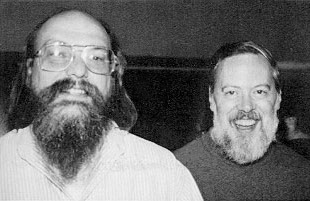 *Ken Thompson and Dennis Ritchie in 1973* -&&/font +&) -&&cont +&{column Thompson still had some desire to work on operating systems, after Bell Labs pulled out. The tools he made while rewriting [his own video game](https://en.wikipedia.org/wiki/Space_Travel_%28video_game%29) on a PDP-7 lead to a whole operating system: UNIX. Based, expanded on and improved upon many of Multic's ideas, UNIX became the father of modern OSs. -&&/cont +&} -&&/table &&/slide +&} &] -&&slide +&[slide # 2. Structure of UNIX-likes Ignoring [standards](https://unix.stackexchange.com/questions/14368/difference-between-posix-single-unix-specification-and-open-group-base-specifi/14415) and [specifications](https://unix.stackexchange.com/questions/87686/what-makes-an-operating-system-unix-like), in my opinion, from the point of a user, a UNIX-like OS has the following components: -&&lineb2 +&.br4 1. **shell**: A programmable replaceable command-line interpreter, with utilities for managing the whole system and support for pipelines and I/O redirection 2. **UNIX-style file system**: [Filesystem](https://en.wikipedia.org/wiki/Unix_filesystem) as a single rooted tree, objects (nodes) in the file system are [inodes](https://en.wikipedia.org/wiki/Inode) and an inode can be [(at least)](https://en.wikipedia.org/wiki/Unix_file_types) either a regular file, directory or devices. Permissions per users and group. 3. **kernel**: Program that manages all communication and operations between the hardware and software -&&lineb4 +&.br4 -&&font18 *For now we'll generally just look over some of the common stuff and go into detail later, while in Linux.* &&/font +&(font18 *For now we'll generally just look over some of the common stuff and go into detail later, while in Linux.* &) -&&/slide +&] -&&slide &&font35 +&[slide35 ## 2.1. shell -&&lineb2 &&ftable +&.br2 &{sqrow -&&cont +&{column The operating system is divided into layers, [like an onion](https://youtu.be/-FtCTW2rVFM?t=57). Only the kernel has access to the hardware. shells and executables (binaries) have access to the kernel. shells provide user interfaces, [both](http://en.wikipedia.org/wiki/Shell_%28computing%29) command-line and graphical. While on the topic of UNIX, we'll only discuss the former. -&&/cont +&} -&¢ered  &&/centered +&(centered  &) -&&/table &&/font &&/slide +&} &] -&&slide +&[slide ### Command-line shells Command-line shells operate solely with text, often only with ASCII characters. Usually connecting to a computer (to the shell) is said to be done with either a "terminal" ("console") or "teleprinter" ("teletype"). -&&table +&{row Video displays became widely available in the late 1970s, so before that access was done with a "teleprinter", a typewriter-printer combo. -&&font18 +&(font18  *Teletype Model 33 by [Arnold Reinhold](https://commons.wikimedia.org/wiki/User:ArnoldReinhold)* -&&/font +&) -&&tarow +&.newrow With the advent of computer displays, teleprinters were replaced with terminals, video display-keyboard combo. Thanks to the widely popular [VT100](https://en.wikipedia.org/wiki/VT100), almost all terminals support [ANSI escape codes](https://en.wikipedia.org/wiki/ANSI_escape_code). -&&font18 +&(font18  *DEC VT100 by [Jason Scott](https://www.flickr.com/people/54568729@N00)* -&&/font +&) -&&/table &&/slide +&} &] -&&slide +&[slide Today we don't usually use such specialised hardware, but the names persist with slightly different meanings. @@ -264,11 +267,11 @@ Today we don't usually use such specialised hardware, but the names persist with - ssh, a program to remotely connect to a device's shell, establishes a pseudoterminal. Your local terminal thinks it's connected to a local shell and vice versa with the remote shell, however the pty in between handles the true communication. -&&/slide +&] -&&clide +&[middle ### Command location and parameters @@ -284,11 +287,11 @@ Options usually start with a hyphen `-` (like `-c` or `-current-time`) and often Newer conventions also allow start with two hyphens `--` (`--current-time`), though if shown as-is indicate the rest is a string. More rarely you might see `--OPTION=VALUE` or just `OPTION=VALUE`. -&&/clide +&] -&&clide +&[middle ### Thompson shell @@ -308,11 +311,11 @@ The two major features that every other shell supports are: command1 [args...] | command2 [args...] | ... ``` -&&/clide +&] -&&slide +&[slide ## 2.2. UNIX-style file system @@ -322,17 +325,17 @@ The two major features that every other shell supports are:  -&&/slide +&] -&&clide +&[middle ### Attributes of an inode - [file type](https://en.wikipedia.org/wiki/Unix_file_types): Each inode represents some sort of file (data), but a "file" can also be a directory or device, so we need to know how to handle it. There are 7 main types (but there can exist more, depending on OS): - &&lineb1 + &.br1 + **regular**: just a plain old file + **directory**: as explained, a file containing hard links to other files. Each directory is allowed to appear *only once* in a single parent. + **symbolic link**: points to any file (or directory). It contains the (relative) path to that object (as a simple string), so a symlink not could even be valid. @@ -343,11 +346,11 @@ The two major features that every other shell supports are: exec(/bin/mprog); -> Executes /usr/local/bin/mprog ``` -&&/clide +&] -&&slide +&[slide + **FIFO special**: aka [named pipe](https://en.wikipedia.org/wiki/Named_pipe), a special type of regular file, where at any moment only one process can read from it and one can write to it. It takes the concept of shell pipes to inter-process communication. @@ -370,11 +373,11 @@ The two major features that every other shell supports are: CharacterSpecial << 1 ; CharacterSpecial >> var ``` -&&/slide +&] -&&clide +&[middle + **sockets**: file for inter-process communication. Compared to FIFO specials, they can be used by more than two processes, used in both directions and support [file descriptors](https://en.wikipedia.org/wiki/File_descriptor) and packets @@ -387,15 +390,15 @@ The two major features that every other shell supports are: \-read--> [Process C] ``` -&&/clide +&] -&&slide +&[slide #### Side-step into users and groups -&&lineb3 +&.br3 A user in UNIX is essentially a small collection of data, most important of it being a **unique ID** (number), a **name** (string), a **group id** (number; files created by the user are in that group) and a **password**. @@ -404,16 +407,16 @@ Groups are also small collections of data, but much simpler, comprised only of a User with ID 0 is called root, it is the "system administrator", all actions made by the system itself are done as that user. Every user has their own "home" folder (under "/home/USERNAME/", except for root, which is "/root/"), in which they store personal files, as well as user-specific configuration files. -&&/slide +&] -&&slide +&[slide - [file permissions](https://en.wikipedia.org/wiki/File_system_permissions): control the freedom of a user to read (navigate for directories), change and execute files File permissions are split into three sets: what the **owner** can do, what **group** members can do and what **anyone else** can do. Each set contains a mix of three permissions: **r**ead, **w**rite and e**x**ecute, and each set stores some combination of them. - &&lineb1 + &.br1 Each is represented by a bit in the order above (`101` means you *can* read, *cannot* write, *can* execute) and the overall permissions are often shown as a three digit number or character string. Example: `111101100` will be shown as `754` or `rwxr-xr--` @@ -421,15 +424,15 @@ Every user has their own "home" folder (under "/home/USERNAME/", except for root - User ID of owner, Group ID, file size and timestamps -&&/slide +&] -&&slide +&[slide ## 2.3. Kernel -&&font18 &&lineb1 &&/font +&(font18 &.br1 &) The kernel has the core functionality of the operating system and bridges the gap between programs and hardware. Some important subsystems include scheduling, file, device, process and memory management. @@ -437,23 +440,23 @@ Some important subsystems include scheduling, file, device, process and memory m To preserve the [everything is a file](https://en.wikipedia.org/wiki/Everything_is_a_file) methodology, devices and processes can be handled as files (inside `/dev` and `/proc`). They (most of the time, in modern kernels) aren't actual files on a hard drive, but "virtual" files, where operations on them are handled in a different manner than normal by the kernel. -&&lineb2 +&.br2 -&&font35 Linux is **not** an operating system, it is a kernel!!! &&/font +&(font35 Linux is **not** an operating system, it is a kernel!!! &) -&&lineb2 +&.br2 Two of the important things a kernel does is manage **processes** and **memory**. -&&/slide +&] -&&slide &&font35 +&[slide35 ### 2.3.1 Processes -&&lineb1 +&.br1 A program is some collection of code and other data, stored in a file (or noncompiled code). A process is the program in motion, the program itself *alongside* certain system states. @@ -465,11 +468,11 @@ The system states include (but are not limited to): - [file descriptors](https://en.wikipedia.org/wiki/File_descriptor), unique identifiers for files -&&/font &&/slide +&] -&&clide &&font35 +&[middle35 On a multitasking (multiprocessing) system, which is any modern desktop system, multiple processes are always running "at once". @@ -478,11 +481,11 @@ All "waiting" processes are put in a prioritized queue ([run queue](https://en.w Stopping is either done by the process itself (more on that later), or by the system when the process has been actively running for too much time. -&&/font &&/clide +&] -&&slide &&font35 +&[slide35 #### Process Control Block @@ -497,11 +500,11 @@ A PCB's data can be split into three categories: A process can be **forked**, meaning a new process is created, with the same underlying code (but not process states and ...). -&&/font &&/slide +&] -&&clide &&font35 +&[middle35 #### Process states @@ -511,11 +514,11 @@ A process can be **forked**, meaning a new process is created, with the same und - **Blocked**: When a process cannot continue without external change, usually when waiting for an I/O device. - **Terminated**: The process has either completed execution or has been killed. The process itself is called a ["zombie process"](https://en.wikipedia.org/wiki/Zombie_process) (until it is removed). -&&/font &&/clide +&] -&&clide &&font35 +&[middle35 #### Exit status @@ -525,15 +528,15 @@ For all intents and purposes, this number is an 8bit unsigned integer, meaning i Pretty much universally, an exit code of 0 signifies a successful termination, and anything else specifies some sort of error code. Different programs specify the meaning of an exit code in different ways, some assign each number to a specific error, other use the bits representing the number as flags. -&&/font &&/clide +&] -&&slide &&font35 +&[slide35 ### 2.3.2 Memory management -&&lineb2 +&.br2 In ye olde days, you would save a bit of memory for the operating system and give all of the rest to the current process ([monoprogramming](https://en.wiktionary.org/wiki/monoprogramming)), which we wait until completion. @@ -541,34 +544,34 @@ This doesn't allow for context switching (disks are slow) and a blocked state fo Some bad ideas include: depending on the code of all processes to not use the same addresses, use only [relative addresses](https://en.wikipedia.org/wiki/Position-independent_code) (`-fPIC` option in `gcc`) or use a [table](https://en.wikipedia.org//wiki/Relocation_%28computing%29#Relocation_table) that the kernel fills out with addresses. -&&/font &&/slide +&] -&&slide &&font35 +&[slide35 ### Virtual memory -&&lineb2 +&.br2 -&&fright +&{fright  -&&font18 *Image by [Ehamberg](https://commons.wikimedia.org/wiki/File:Virtual_memory.svg)* &&/font -&&/fright +&(font18 *Image by [Ehamberg](https://commons.wikimedia.org/wiki/File:Virtual_memory.svg)* &) +&} A program (process) works with some (sequential) addresses, and the OS (with the help of [hardware](https://en.wikipedia.org/wiki/Memory_management_unit)) translates/maps the process' addresses (logical/[virtual addresses](https://en.wikipedia.org/wiki/Virtual_address_space)) to real ones (physical addresses). Simplified memory management for the program, protected address space for each process and improved flexibility. -&&/font &&/slide +&] -&&slide &&font35 +&[slide35 #### Segmentation (without paging) -&&lineb2 +&.br2 Initially, virtual memory was implemented with segmentation, where a process' memory is divided into segments for code, stack, heap, etc. Each segment is given a chunk of contiguous memory, which can be resized, and addresses are defined as the base segment (physical) address with an offset. @@ -576,15 +579,15 @@ Each segment is given a chunk of contiguous memory, which can be resized, and ad In the modern day, segmentation isn't used by itself, since resizing segments could require reordering of memory and [external fragmentation](https://en.wikipedia.org/wiki/Fragmentation_%28computing%29#External_fragmentation), where there simply isn't enough contiguous memory, could occur. -&&/font &&/slide +&] -&&slide &&font35 +&[slide35 #### Paging -&&lineb3 +&.br3 The virtual and physical memory is divided into fixed-sized chunks of consecutive addresses. A virtual memory chunk is called a **page**, while a physical memory chunk is called a (page) **frame**. @@ -593,11 +596,11 @@ Usually both have the same size of (at least) 4 KiB. Every process has a [page table](https://en.wikipedia.org/wiki/Page_table), which maps the process' pages to system frames. Thus every memory address is translated from it's page location to a frame location. -&&/font &&/slide +&] -&&slide &&font35 +&[slide35 Advantages include: @@ -612,11 +615,11 @@ Disadvantages include: - longer memory access, because of the page table - [internal fragmentation](https://en.wikipedia.org/wiki/Fragmentation_%28computing%29#Internal_fragmentation), where one or multiple pages might be partially empty, leaving free space that cannot be used -&&/font &&/slide +&] -&&slide +&[slide # 3. Linux from the inside @@ -625,7 +628,7 @@ Enough theory, time to have some fun and learn Linux! We'll be using [Linux Minimal Live](https://ivandavidov.github.io/minimal/#home) (just a bootable ISO) because it's: - very small, comprised of only the Linux kernel, GNU C library and Busybox -- made by a fellow Bulgarian &&bg +- made by a fellow Bulgarian  We're going to explore and look around the following stuff: @@ -634,11 +637,11 @@ We're going to explore and look around the following stuff: - **Common configuration files**: Relevant configuration files, their purpose and syntax - **System management**: Other commands with which to modify your system -&&/slide +&] -&&clide &&font18 +&[middle18 #### If you're following at home @@ -654,15 +657,15 @@ That is because, out of the box, MLL doesn't really support secure connections ( The script, in summary, installs bash, coreutils and shadow "packages" (from [http://s.minos.io/archive/bifrost/x86\_64](http://s.minos.io/archive/bifrost/x86_64)) to /usr/local/bin, creates /etc/passwd, /etc/bashrc and /etc/profile with some values in them and starts bash. -&&/font &&/clide +&] -&&slide +&[slide ## 3.1. Shells -&&lineb2 +&.br2 ### Variables and data types @@ -676,11 +679,11 @@ name=value Where `name` is either a combination of letters (upper and lower case), numbers and the underscore character, which cannot begin with a number, or one of select few **positional** and **special** parameters. -&&/slide +&] -&&slide &&font35 +&[slide35 #### Positional and special parameters @@ -696,11 +699,11 @@ Some of the [special parameters](https://www.gnu.org/savannah-checkouts/gnu/bash `value`, without any special surrounding characters (more on that later), is treated as a string (but it mustn't have spaces!), however it may also be omitted, in which case it is the empty string `""`. -&&/font &&/slide +&] -&&slide &&font35 +&[slide35 #### Data types @@ -716,11 +719,11 @@ An indexed array can also be created by specifying the value at any index: name[index]=value ``` -&&/font &&/slide +&] -&&slide +&[slide #### Mixing types and operations @@ -734,11 +737,11 @@ name=value |integer| |empty string, but sometimes value |value |value when index is 0, empty string otherwise| |array | |operation is done on element at index 0|operation is done on element at index 0|value | -&&/slide +&] -&&slide +&[slide #### Parameter expansion @@ -755,11 +758,11 @@ Some parameter expansions in bash: - `${parameter/pattern/string}` return a string, where every match on pattern is replaced by string - `${name[@]}` a (space separated) sequence of indices from 0 to length (for defined values) of array name -&&/slide +&] -&&slide +&[slide #### Arithmetic expansion @@ -779,11 +782,11 @@ Some useful expressions are: Expressions work with both variable names and integers. -&&/slide +&] -&&clide +&[middle ### Bourne shell @@ -801,11 +804,11 @@ Most modern shells support a lot of the more defying features of the [Bourne She + `fg`: resume the last job to be put in the background and make it the current job with which we're interacting + `jobs`: list all active (background) jobs -&&/clide +&] -&&clide +&[middle -   + Every job is identified with a **Job ID** (number), which you can use by prepending a percentage sign. Example, to resume the job with JID 4: @@ -819,11 +822,11 @@ Most modern shells support a lot of the more defying features of the [Bourne She + `kill`: send a signal to the process or job. Then that process will have to handle it accordingly. Common ones are `-KILL` to immediately stop the process, `-QUIT` to quit it, `-ABRT` to cancel the current action, `-TERM` shut down (orderly), `-STOP` shut down (forcefully) -&&/clide +&] -&&clide &&font27 +&[middle27 - [heredoc](https://en.wikipedia.org/wiki/Here_document): File literal, meaning it is a user "string" which is interpreted as a file + start with `<< NAME`, where NAME can be anything you want, it is used to mark the beginning and end of a heredoc. `<<` is also a redirection symbol @@ -843,10 +846,10 @@ Most modern shells support a lot of the more defying features of the [Bourne She + `expr1 || expr2`: Run expr2 if expr1 exited unsuccessfully + `expr1 ; expr2`: Run expr2 after expr1 (sequential execution) -&&/font &&/clide +&] -&&clide &&font27 +&[middle27 - [redirection](https://en.wikipedia.org/wiki/Redirection_%28computing%29): Outside of having `<` and `>` for I/O redirection, often there is also + `>>`: Acts like `>`, putting text into a file, but rather than overwriting everything, it appends it @@ -865,11 +868,11 @@ Most modern shells support a lot of the more defying features of the [Bourne She * `N<inputfile`: redirects input file contents to standard stream N * `N<&M`: redirects standard stream M to standard stream N -&&/font &&/clide +&] -&&clide &&font27 +&[middle27 - [built-in test command](https://en.wikipedia.org/wiki/Test_%28Unix%29): With `test` you can do conditional expressions. You can also often use brackets `[ args... ]` instead of `test args...` + Some of the available file checks @@ -888,11 +891,11 @@ Most modern shells support a lot of the more defying features of the [Bourne She + Operators: `!` - negation, `-a` - binary AND, `-o` - binary OR, parentheses for grouping (escaped with `\`) -&&/font &&/clide +&] -&&slide +&[slide - [scripting support](https://en.wikipedia.org/wiki/Shell_script): Running commands from top to bottom of a file + `#`: Everything between a # and the end of the line denotes a comment @@ -912,14 +915,14 @@ Most modern shells support a lot of the more defying features of the [Bourne She elif statements can appear multiple times, both elif and else are optional -&&/slide +&] -&&slide +&[slide -   - &&lineb1 + &.br1 ``` case word in (pattern | ...) commands-if-true ;; ... esac @@ -939,29 +942,29 @@ Most modern shells support a lot of the more defying features of the [Bourne She ``` If `in words...` is ommited, positional arguments are used -&&/slide +&] -&&clide &&font35 +&[middle35 ## 3.2. Files and directories - `/dev`: devices - `/proc`: process information -&&lineb3 +&.br3 - `/bin`: main command programs (binaries), used by users - `/sbin`: command programs, used for the system operation - `/usr`: other system resources + `/usr/bin`: all other user command binaries -&&/font &&/clide +&] -&&slide +&[slide #### Everyday file system commands @@ -983,11 +986,11 @@ Most modern shells support a lot of the more defying features of the [Bourne She - `chmod`: change file modes - `find`: search for a file inside a directory (recursively) -&&/slide +&] -&&slide +&[slide #### Everyday text (file) commands @@ -1008,11 +1011,11 @@ Most modern shells support a lot of the more defying features of the [Bourne She - `wc`: count words inside file - `diff`: compare files and show their differences -&&/slide +&] -&&clide +&[middle #### Device commands @@ -1027,11 +1030,11 @@ Most modern shells support a lot of the more defying features of the [Bourne She - `hostname`: show (or set) the systems hostname (network name) - `free`: display free memory on the system -&&/clide +&] -&&slide +&[slide #### User and group management @@ -1040,27 +1043,27 @@ Most modern shells support a lot of the more defying features of the [Bourne She - `usermod`: modify a user account, including his name and groups - `passwd`: change password of a user. With `-l` user could be locked (impossible to log in) -&&lineb1 +&.br3 - `groupadd`: create a new group - `groupdel`: remove a group - `groupmod`: modify an existing group -&&lineb1 +&.br3 - `w`: show who is logged in and what they are doing - `who`: show who is logged in - `whomai`: print username - `login`: establish a new connection to the system -&&/slide +&] -&&slide +&[slide - `/etc`: system configuration files - &&lineb2 + &.br2 + `/etc/group`: the data for all groups is stored here, in the format @@ -1080,11 +1083,11 @@ Most modern shells support a lot of the more defying features of the [Bourne She USERNAME:PASSWORD:LASTCHANGED:MINBETWEENCHANGES:MAXBETWEENCHANGES:WARNEXPIRE:INACTIVEDAYS:EXPIRE ``` -&&/slide +&] -&&slide &&font27 +&[slide27 -   @@ -1108,11 +1111,11 @@ Most modern shells support a lot of the more defying features of the [Bourne She + `/etc/bashrc`: global defaults and aliases used by the bash shell + `/etc/motd`: message of the day (unexecuted text), shown after login but before the shell is ran -&&/font &&/slide +&] -&&clide &&font35 +&[middle35 - `/usr`: other system resources + `/usr/lib`: library files @@ -1124,11 +1127,11 @@ Most modern shells support a lot of the more defying features of the [Bourne She - `/mnt`: mounted temporary filesystems - `/root`: home directory for the root user -&&/font &&/clide +&] -&&slide +&[slide # 4. Software licensing @@ -1144,29 +1147,29 @@ Some commonly used ones, with a (NON-LEGALLY BINDING) summary include: This is important, since pretty much everything can be freely modified by anyone (for the better or worse, but generally better). -&&/slide +&] -&&slide &&font35 +&[slide35 # 5. What makes up a useful OS A Linux-based operating system is nothing more than the Linux kernel, combined with an assortment of programs. Overall, the main elements that make up a useful *desktop* operating system (alongside a command-line shell) are: -&&lineb1 +&.br1 1. **Bootloader**: load the kernel and operating system 2. **Init system**: well managed way to start everything inside the OS 3. **Package manager**: way to manage our binaries 4. **Desktop manager**: graphical shell -&&/font &&/slide +&] -&&slide +&[slide ## 5.1. Bootloader @@ -1184,11 +1187,11 @@ BIOS -> Master Boot Record -> Active Parition -> Bootloader -> - Active partition: MBR loads and runs code from the beginning of the partition (boot sector), which starts the bootloader - [Bootloader](https://en.wikipedia.org/wiki/Bootloader): the first complex program, which manages kernels, shows a menu, allows for debugging and so on -&&/slide +&] -&&clide +&[middle The BIOS is baked into the motherboard, the MBR is pretty universal (and it's less than 512 bytes) and the kernel we know and love. @@ -1206,11 +1209,11 @@ GRUB_CMDLINE_LINUX_DEFAULT="" GRUB_GFXMODE=640x480 ``` -&&/clide +&] -&&slide &&font27 +&[slide27 ## 5.2. Init system @@ -1233,15 +1236,15 @@ ExecStart=/usr/local/sbin/script.sh WantedBy=multi-user.target ``` -&&/font &&/slide +&] -&&slide +&[slide ## 5.3. Package manager -&&lineb1 +&.br1 Programs are just executable files, usually placed in a specific folder, like `/usr/bin`. @@ -1254,11 +1257,11 @@ Updating all of them means replacing all of the binaries, means tracking where e On modern systems, managing binaries is automated by an application called a package manager. -&&/slide +&] -&&clide &&font35 +&[middle35 Additional benefits of package management automation include: @@ -1268,7 +1271,7 @@ Additional benefits of package management automation include: - version caveats - (indirectly) improved stability because of maintainer compatibility checks -&&lineb1 +&.br1 ``` apt install PKG @@ -1276,18 +1279,18 @@ apt remove PKG apt upgrade ``` -&&/font &&/clide +&] -&&slide +&[slide ## 5.4. Window systems A widow system is your graphical shell: the graphical way to interact with your computer (the kernel). It's main components are: -&&lineb1 +&.br1 - **Window manager**: the overall system with which you create, remove, resize and work with windows. They are generally separated into two types: + *Stacked*: this is what you know, windows are just rectangles floating about, and can be put one over each other @@ -1295,11 +1298,11 @@ It's main components are: - **Compositor**: adds an unseen window buffer, allowing additional processing, before a window is shown. This powers transparency, animation effects and more. - **Session manager**: graphical application that manages the window managers (outside WMs), think of it as a login window -&&/slide +&] -&&slide &&font27 +&[slide27 # 6. War on distros @@ -1317,15 +1320,15 @@ We haven't touched too much, but Linux distributions aren't limited to desktop o 1. [AOSP](https://en.wikipedia.org/wiki/Android_%28operating_system%29#AOSP): the base of the whole Android operating system 2. [OpenWRT](https://en.wikipedia.org/wiki/OpenWrt): a router operating system -&&/font &&/slide +&] -&&slide &&font35 +&[slide35 # 7. Demos - virtual machine and setup from zero -&&lineb2 +&.br2 Now for the best part: we'll be installing a Linux distribution on a virtual machine and then directly on a laptop, running Windows 10! @@ -1333,19 +1336,19 @@ I've chosen to install [Linux Mint](https://linuxmint.com/), since it is general Currently there won't be an official recording of the process, you should've been here live! -&&/font &&/slide +&] -&&clide &&font35 &¢ered +&[title35 # Thank you for your time -&&/centered &&/font &&/clide +&] -&&slide &&font18 +&[slide18 # Sources @@ -1376,4 +1379,4 @@ They served as personal educational and reference tools. Images on slides "2.1. shell" and "2.2. UNIX-style file system" are made by me and [licensed as content](/license.html). The script [mll-set.sh](http://syndamia.com/talks/linuxgraphy-by-strabo/mll-set.sh) is licensed under MIT (though I don't see it as substatial enough to be licensed under anything). -&&/font &&/slide +&] |